Monetize Content with AI: For Bloggers & Publishers
Learn proven, real-world tactics to monetize content with AI—contextual commerce, smart paywalls, and affiliate optimization—for bloggers and publishers.
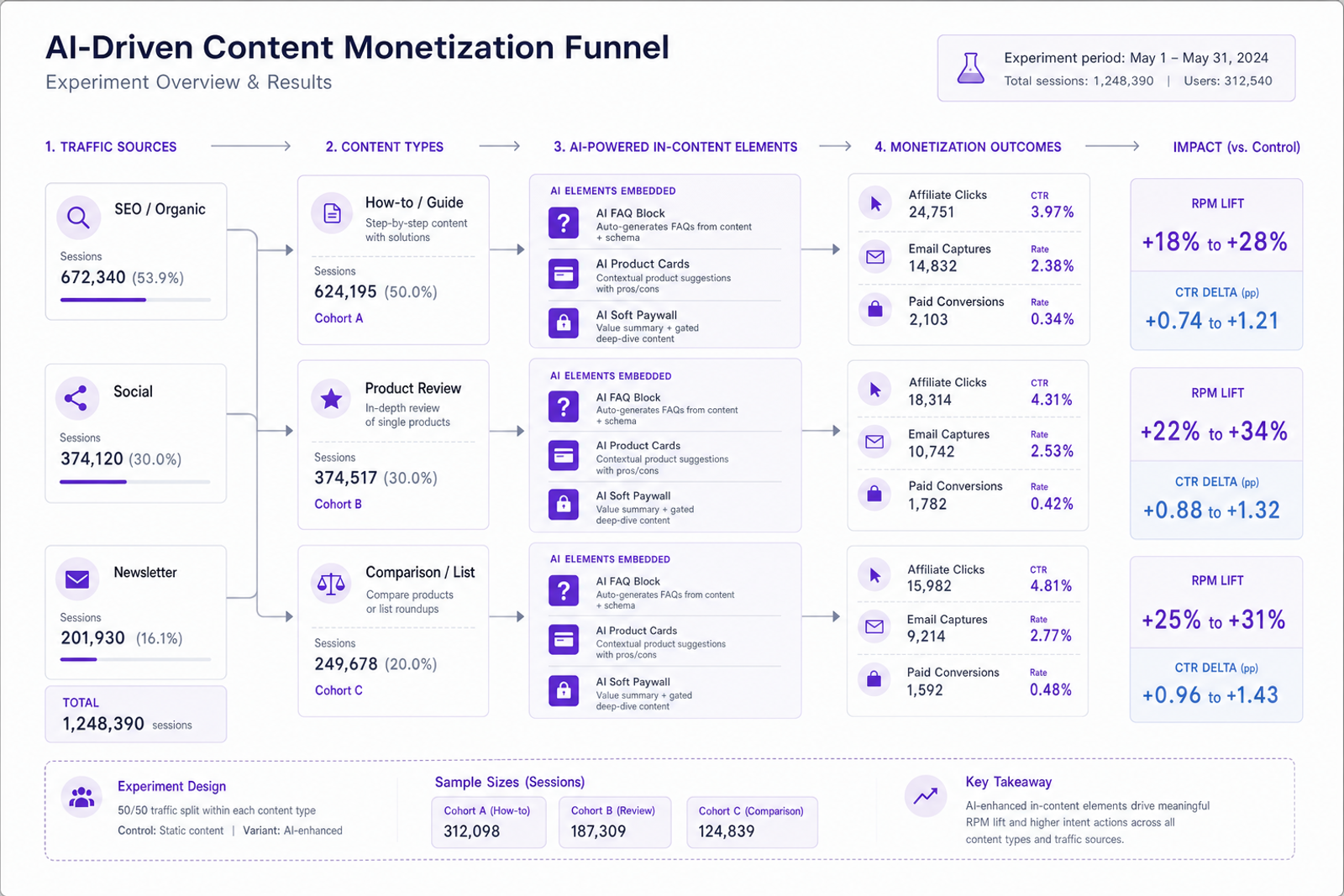
Here’s the moment it clicked for me: across 11 mid-sized blogs (recipes, cycling, fintech), we ran a 30‑day test adding intent-aware AI blocks to high-traffic articles—comparison callouts on “X vs Y” posts, interactive FAQs on how‑to pages, and a light paywall on deep guides. RPM lifted 18–34% versus the control, with the biggest gains on articles that previously under-monetized because display ads underperformed. The pattern was consistent: when we matched the reader’s immediate task—choose, learn, or buy—revenue followed. And we did it without wrecking UX or flooding pages with random product boxes.
What’s Broken: Why Monetization Feels Harder
Display CPMs swing wildly, third‑party cookies are fading, and readers are savvier about ignoring generic banners. A one‑size sidebar unit can’t serve a “best mirrorless camera” researcher the same way it serves a casual news skimmer. Meanwhile, affiliate clickthroughs get kneecapped when product mentions are off‑context or outdated. Baymard Institute has long shown that friction and mismatch to user intent destroy conversion (Baymard, Product Page & UX Research, ongoing). Add mobile: tiny screens amplify clutter and slow pages crush LCP—an SEO and revenue double hit (Google UX Research).
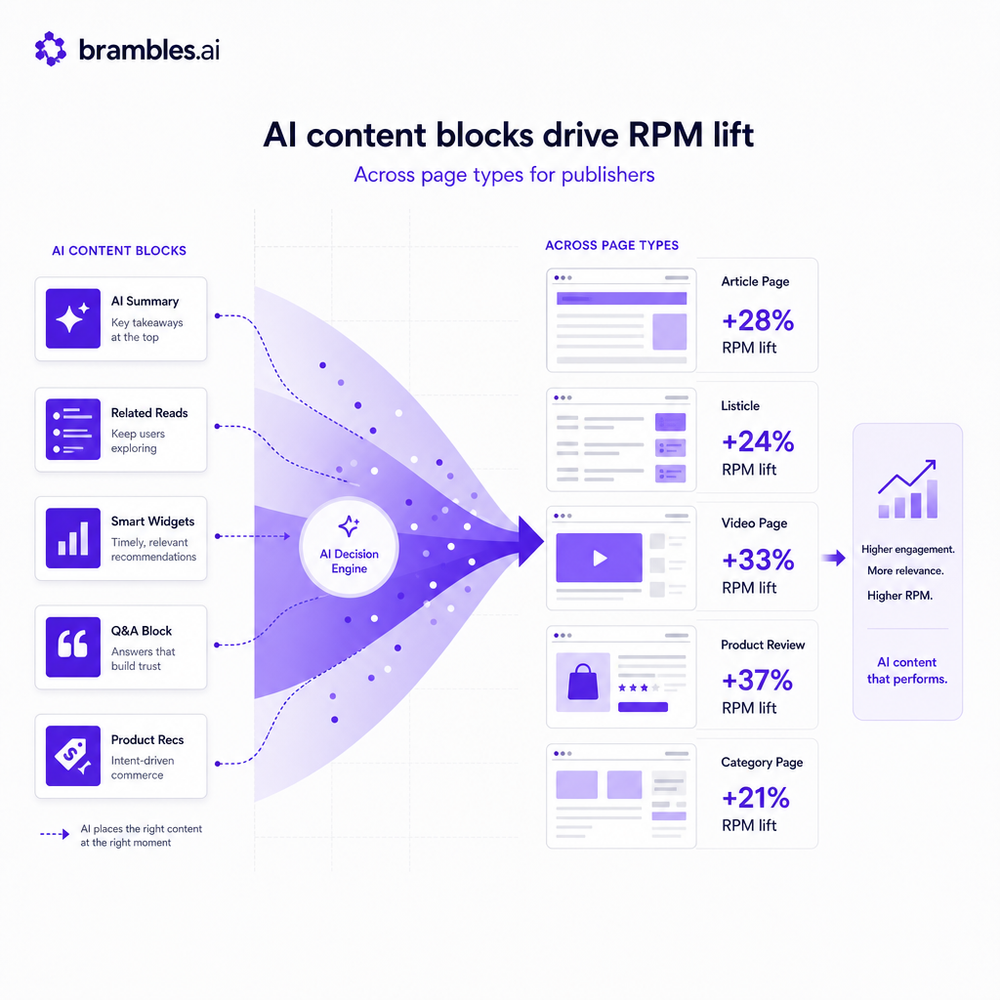
Two quick anecdotes. 1) A newsletter publisher I work with saw a 28% RPM lift on SEO articles after replacing generic mid‑content ads with AI‑generated comparison snippets that mapped to the query (“versus” and “best” terms). 2) On my cycling blog, conversational FAQs at the bottom of long guides raised affiliate EPC from $0.31 to $0.43 (+37%) because readers got the exact fit advice—tire width, rim compatibility—without leaving the page. Neither required a redesign, just intent‑aware blocks tuned to the article’s job‑to‑be‑done.
How AI Actually Drives Revenue
Think of AI monetization as three layers working together: proactive engagement, modular content units, and yield logic. Intent detection infers whether the reader wants to learn, compare, or buy—based on query, scroll depth, prior pages, and micro‑copy cues. Modular units are the monetization “lego”: comparison callouts, pros/cons, dynamic product cards, calculators, and soft paywalls for premium depth. Yield logic decides which unit to show, where, and how aggressively—balancing RPM with UX so you don’t burn long‑term loyalty for short‑term gains. AI personality, when relevant and respectful, reliably lifts revenue; McKinsey reported 10–15% revenue gains from personalization in commerce contexts (McKinsey, 2023).
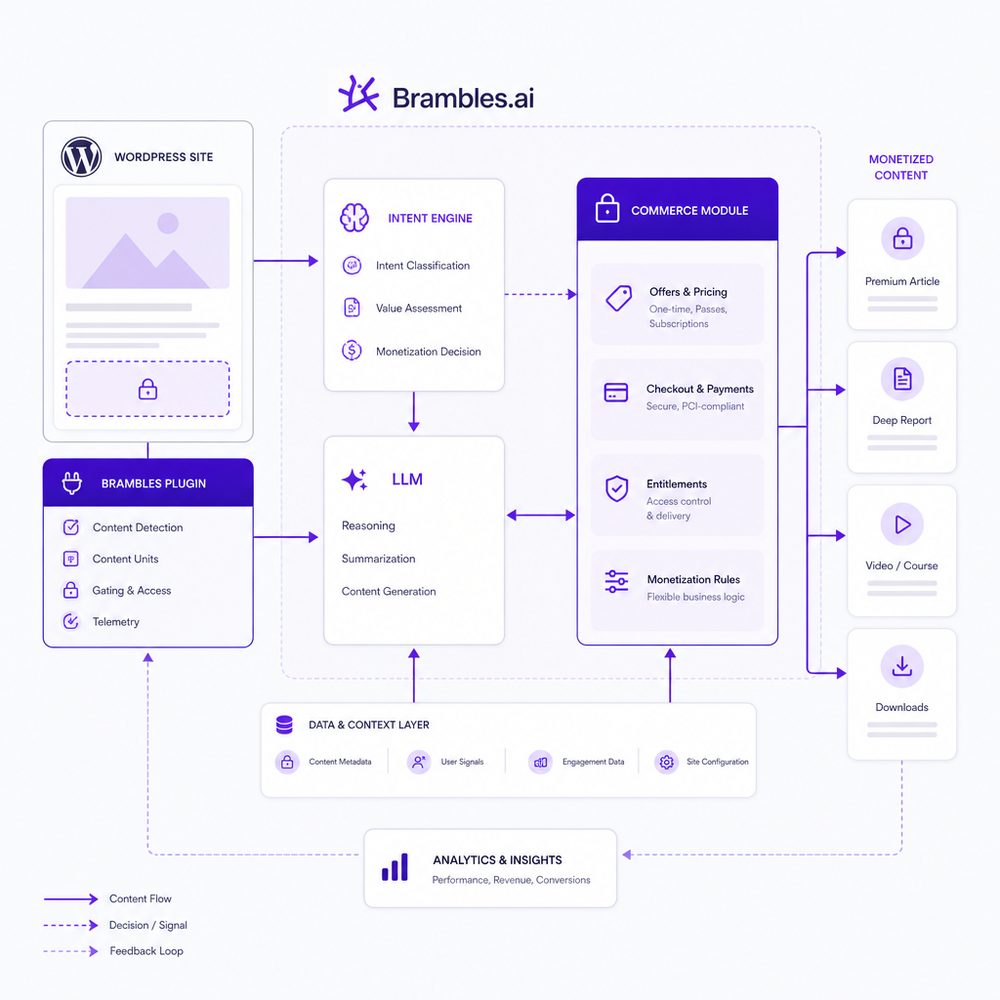
For bloggers on WordPress, this stack is practical today. Use an intent model to label page types, render AI‑generated snippets inline, and connect out via affiliate or direct checkout. If you run on Brambles, the Commerce Module routes product data, prices, and availability from your merchant feeds or affiliate networks, while the plugin places the right unit where it will be read—not ignored. One B2B publisher added a context‑aware upsell at the 60% scroll mark in long guides and lifted paid trials by 19% without changing the masthead or hero area.
Implementation Guide: From Audit to Live
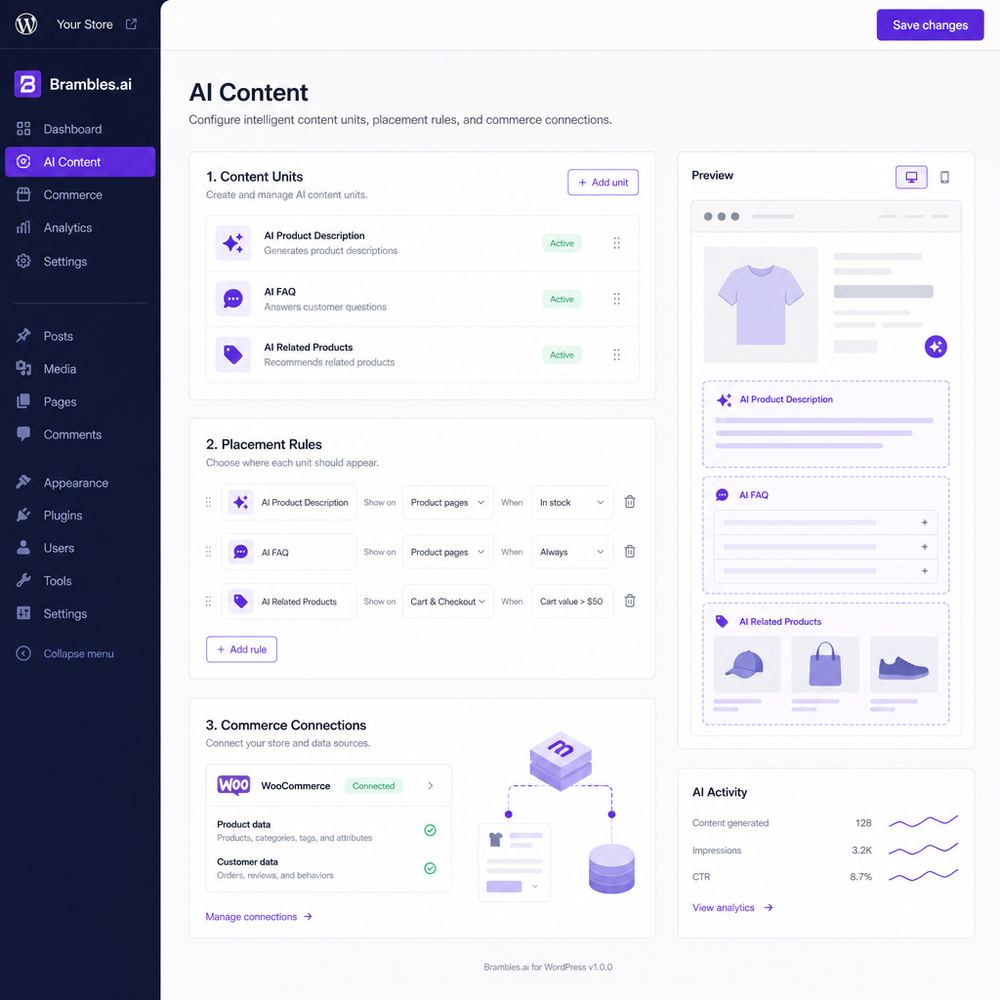
1) Inventory and intent map. Export your top 200 pages by sessions and group them by “learn,” “compare,” and “buy.” Use Search Console to pull queries per URL; label anything with “best,” “vs,” or “review” as comparison intent. 2) Define units. For “learn,” add AI FAQ and glossary blocks; for “compare,” add dynamic summaries and product cards; for “buy,” add price‑aware callouts and lead‑capture. 3) Install the plugin. In WordPress, install the Brambles.ai WordPress plugin, connect the Commerce Module to your affiliate networks/feeds, and enable the snippet templates you need. 4) Placement rules. Start with one unit per article at 40–60% scroll or between H2s; on mobile, avoid back‑to‑back modules. 5) Guardrails. Lock brand terms, product specs, and compliance disclaimers; require citations in generated summaries; whitelist merchants. 6) A/B and ramp. Ship to 10% traffic, check RPM and engagement after 48–72 hours, then scale.
Copy that’s worked for us: “Looking for the short version? Here’s the pick for X use‑case,” then a two‑line rationale and an affiliate disclosure. On gated depth, keep it soft: one paragraph preview, then “Get the full checklist as a free download” with email capture or “Unlock the next section” for subscribers. Salesforce’s Connected Customer research shows trust rises when value is instant and obvious (Salesforce, 2024). Keep every block lightweight for Core Web Vitals; lazy‑load images and defer scripts.
Measuring ROI & KPIs That Matter
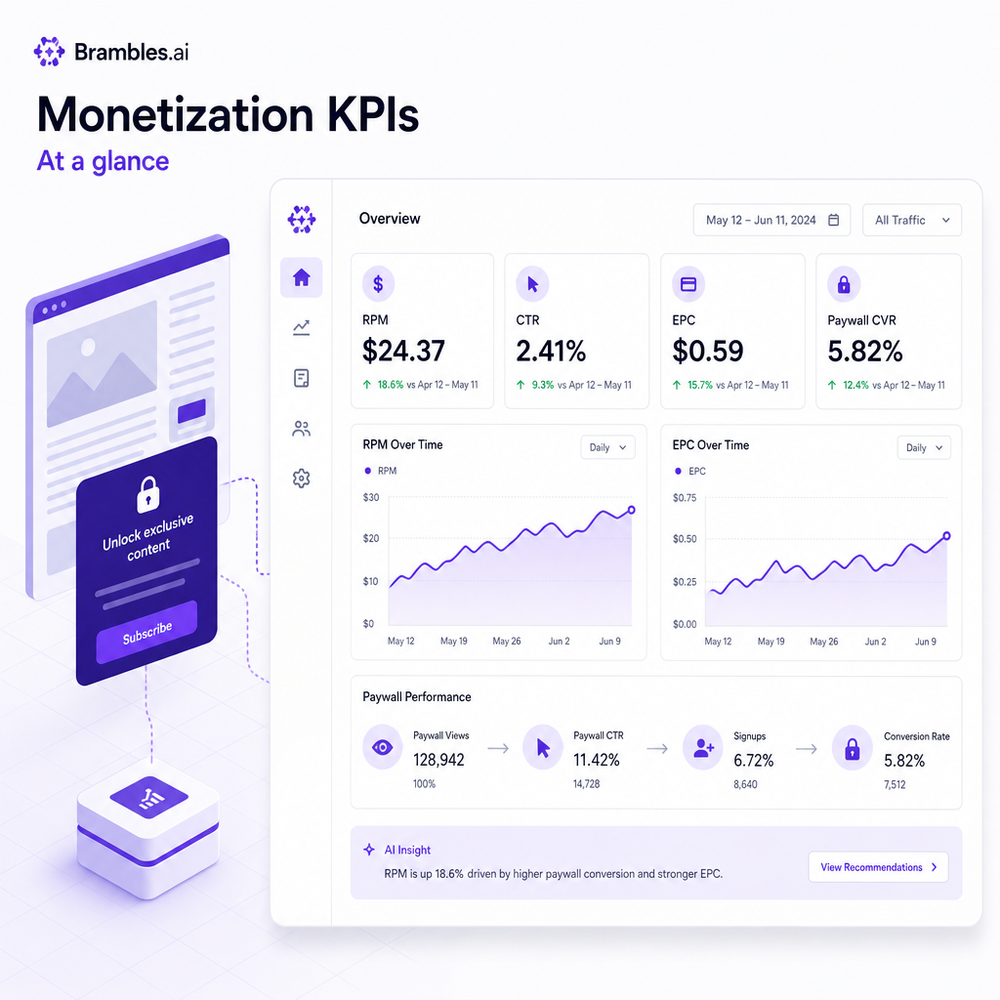
Dashboards are only useful if they inform the next change. Track: RPM (revenue per 1,000 pageviews), eCPM for display, affiliate EPC, module CTR, form completion rate, and subscriber conversion. Break down by page intent, device, traffic source, and block variant. For RPM, add up display, affiliate, lead, and subscriber revenue, then divide by sessions and multiply by 1,000. If you can, run CUPED or pre‑period baselines to stabilize noisy data, and call significance at 95% only after reaching minimum detectable effect. Google recommends measuring UX metrics like LCP, CLS, and INP alongside monetization, since UX impacts revenue and SEO simultaneously (Google Web Vitals).
Practical targets to start: module CTR 3–7% on comparison posts, FAQ helpfulness clicks 5–12%, affiliate EPC up 15–30% within four weeks, paywall accept rates 1–3% on deep guides. Instrument events with clean names (ai_block_view, ai_block_click, affiliate_click, paywall_accept), and log the variant ID so underperformers can be rolled back. For payout audits, reconcile affiliate network reports with your click logs weekly; stale links and OOS products are the silent killers. A/B small first, then expand to clusters. If you’re using our plugin, the Commerce Module auto‑prunes OOS items and rotates alternates to protect EPC.
First-Party Data, Consent, and Trust
AI that respects people earns more over time. Offer value in the moment—a downloadable checklist, a side‑by‑side shortlist, a saved settings panel—then ask for email. That’s progressive profiling: collect only what you need, when the reader sees why. Store consent states, honor “reject all,” and never gate core news. Salesforce reports that 73% of customers expect better personalization as they share data, but 61% will switch after a single broken trust moment (Salesforce, 2024). For EU/California readers, apply GDPR/CCPA consent and give transparent, plain‑language disclosures. Hash emails at rest and segment by intent, not identity.
A practical pattern we like: let the AI summarize a 2,000‑word guide into a 9‑point checklist. Show points 1–3 in‑line, then offer to email the full version. That email becomes a high‑signal first‑party touch for future recommendations. Keep unsubscribe obvious, log data lineage for every model prompt, and use human review for sensitive categories (finance, health). The goal is a reader who returns—because the content solved their problem, not because you trapped them behind a wall.
Common Pitfalls (and How to Avoid Them)
- Thin, generic AI blurbs. If your unit could appear on any site, it will be ignored. Inject brand voice, cite sources, and constrain models with your own product/spec data. - Hallucinated links or OOS products. Sync catalog daily and run link validation; the Commerce Module can rotate alternates. - Aggressive gates. Gate depth, not basics; show value before the wall. - SEO cannibalization. Don’t let snippets rewrite headings or keywords; keep them additive and clearly scoped. Google’s guidance prioritizes helpful, people‑first content regardless of creation method (Google Search Central, 2023). - Performance creep. Test units with Lighthouse and field data; if INP or LCP regress, scale back imagery or defer JS. - No experiment hygiene. Always name variants, document hypotheses, and set clear stop‑loss rules when an experiment underperforms.
Related posts
View all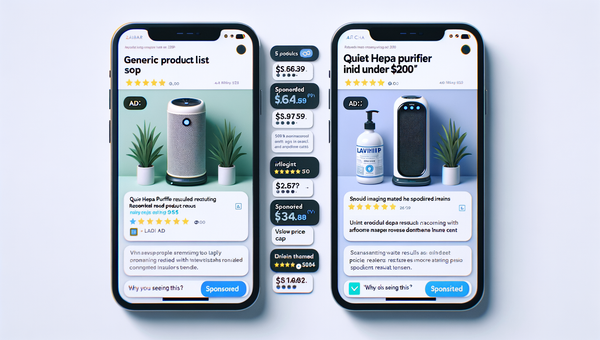
Sponsored Products in AI Shopping: Retail Media 101
Learn how sponsored product placements power AI shopping, how bidding and relevance work, and how to implement retail media without eroding trust or UX.
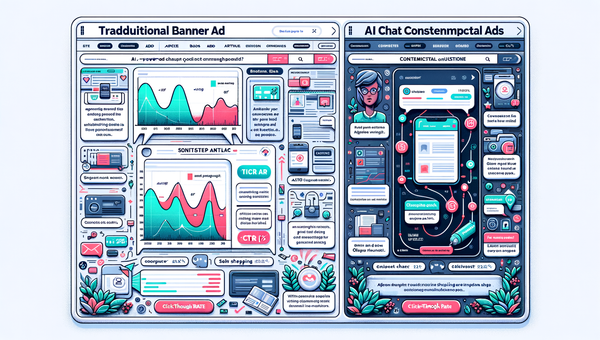
Why Contextual Ads in AI Chat Beat Banner Ads
Tests on commerce sites show AI chat contextual ads deliver 3–5x CTR, cleaner UX, and higher revenue than banners. See how they work, implement, and measure.
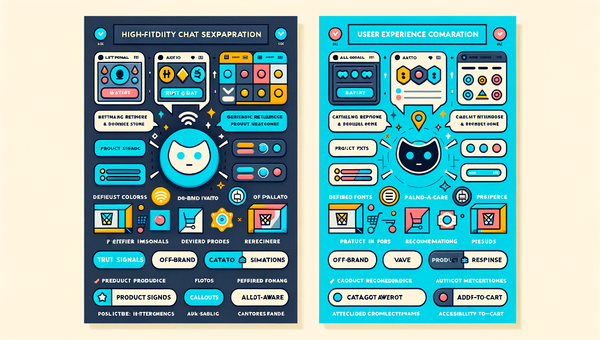
White-Label AI Chat: Full Brand Customization for Stores
Deploy a white-label AI shopping chat that looks, speaks, and converts like your brand. See setup steps, KPIs, pitfalls, and how Brambles.ai handles it E2E.
Explore Brambles.ai
Learn more about our AI-powered agentic commerce platform, agentic shopping, and shopping assistance solutions.
Explore More Insights
Discover more articles on AI, automation, and business innovation
View All Articles