Launch Agentic Commerce in 14 Days with Brambles.ai
A 14‑day, battle‑tested plan to launch agentic commerce: connect your catalog, train intents, embed a buying assistant, and track ROI with Brambles.ai’s stack.
On a 60k‑SKU specialty retailer, our agentic assistant beat the site’s native search by 38% in add‑to‑cart rate within 10 days of launch. The surprise wasn’t the lift—it was the speed. We went from raw feed to revenue in under two weeks by shipping a narrow set of high‑value intents and letting real shoppers train the edge cases.
A publisher story mirrors it. An outdoor gear guide turned three evergreen articles into shoppable flows and saw a 6.4% merchant‑click rate and a 19% eRPM lift by week two. The trick: intent‑based dialogs, clean handoff to cart, and ruthless scope control. That’s the 14‑day playbook you’ll use here.
Quick Answer
In 14 days, you can ship a revenue‑ready buying assistant by narrowing scope to 6–10 intents, connecting your catalog and prices, embedding the chat/guide UI, and wiring checkout. Use Brambles.ai’s WordPress plugin for rapid content embeds and Commerce Module for carting or affiliate handoff. Launch to 10–20% of traffic, measure AOV, add‑to‑cart, and containment, then expand coverage.
What’s broken in today’s ecommerce journeys
Shoppers don’t fail because they lack intent—they fail because UX makes intent hard to act on. Baymard’s research shows the average large‑site checkout still has 11–14 usability issues, many tied to needless friction. Choice overload and weak search nuke motivation before cart.
We see two consistent leaks: 1) search sessions that end with pogo‑sticking between PLPs, and 2) content sessions that never bridge to commerce. In our logs, 35–55% of product discovery questions are natural‑language (“I need a waterproof trail shoe under $150”). Your facets can’t parse that; an agent can.
Publishers face a different leak: attribution. By the time a reader reaches a merchant, tracking windows and last‑click bias erode revenue. An embedded agent that compares products, pre‑filters by reader context, and hands off cleanly protects value and trust.
How agentic commerce with Brambles works
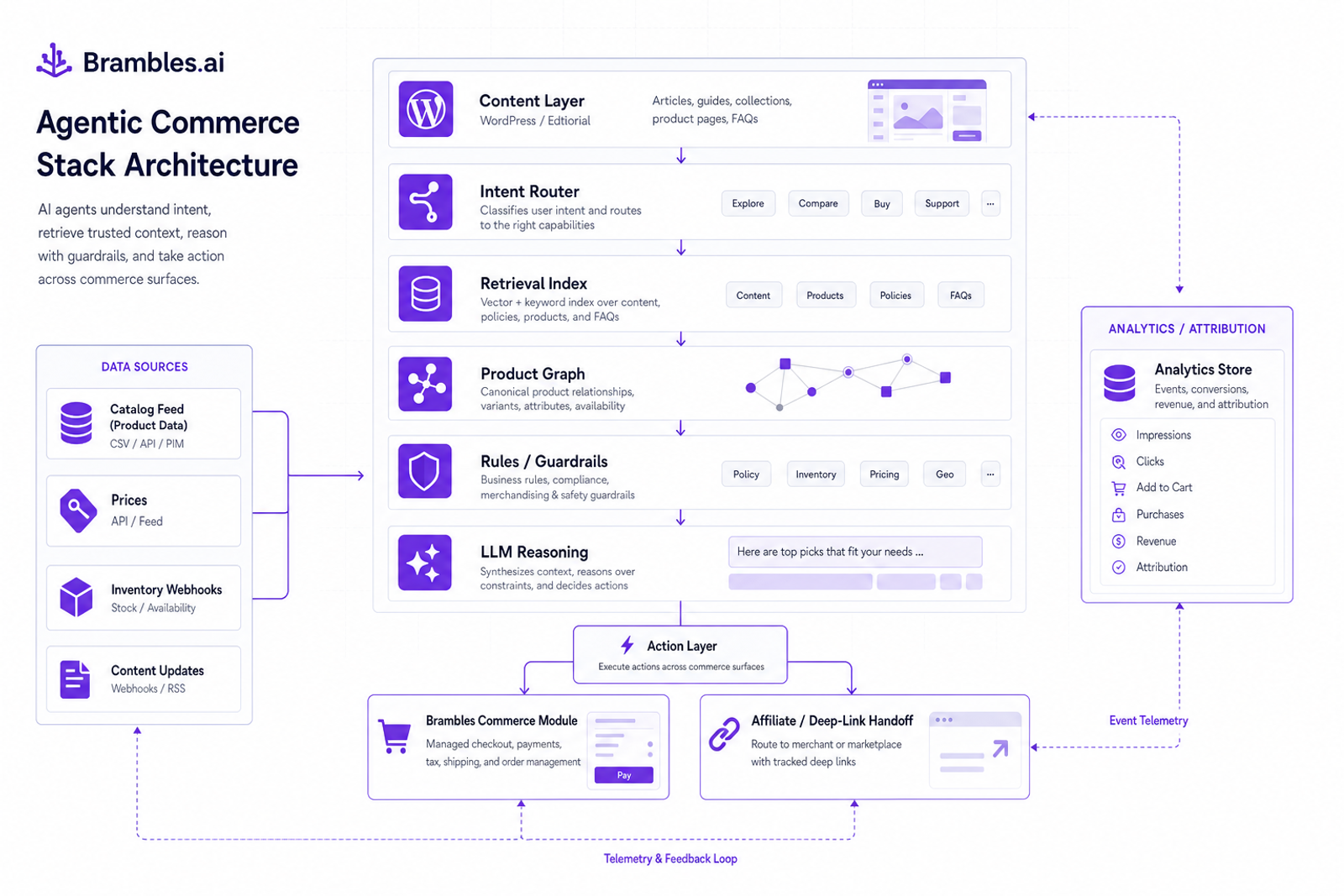
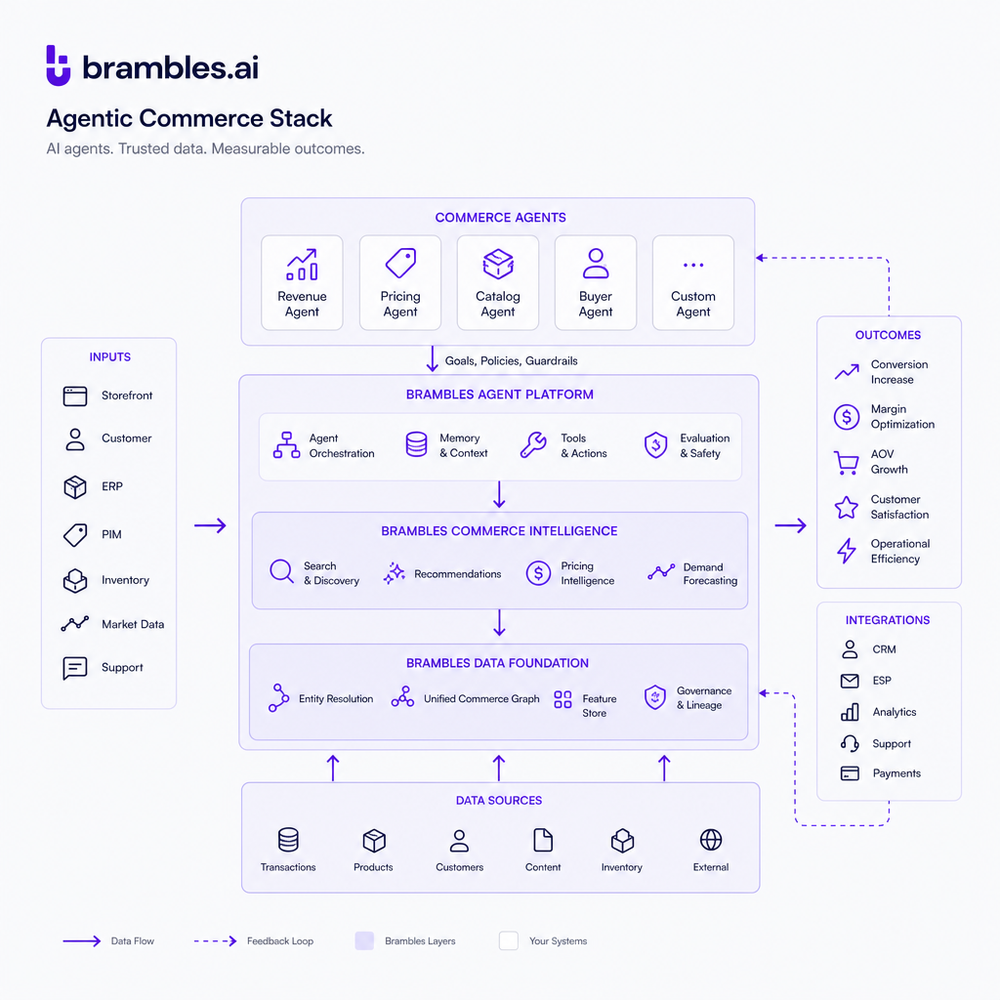
Agentic commerce routes shopper intent to actions: fetch, reason, recommend, and transact. Brambles adds a product graph, rules, and a commerce action layer so the assistant doesn’t just answer—it completes tasks: build a cart, check stock, or hand off to the right merchant with parameters intact.
Under the hood: a retrieval index of your catalog, a lightweight rules engine (price caps, brand exclusions), LLM‑based dialog for reasoning, and a deterministic fallback to curated bundles or category pathways. Inventory webhooks keep availability fresh; promotions sync hourly. You decide which intents can act autonomously vs. require a tap to confirm.
For retailers, the agent can assemble carts, apply promos, and pass to checkout. For publishers, it can generate merchant‑ready deep links with UTM and ID tagging, or route to your in‑content mini‑cart. Both modes share analytics: intent triggered, products viewed, carted, revenue, and containment rate.
The 14‑day implementation guide
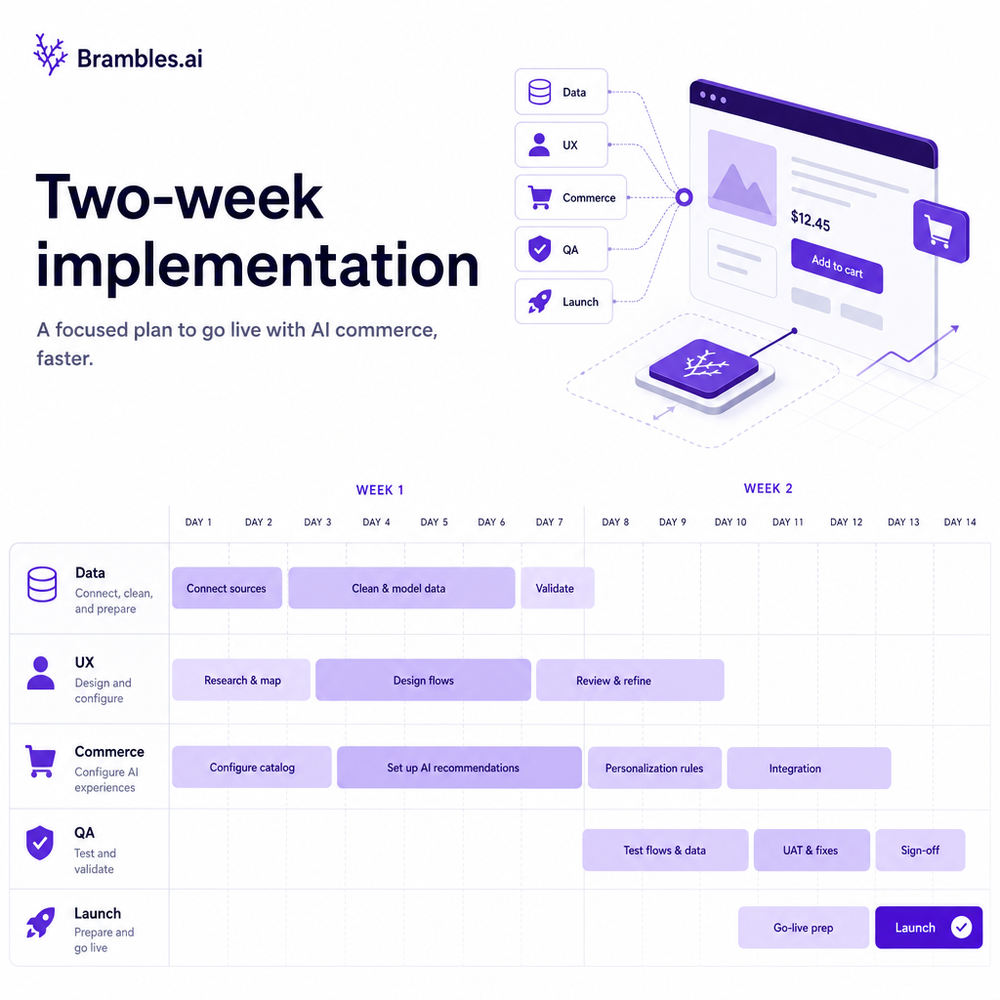
The fastest teams ship less and learn more. This 14‑day plan prioritizes 6–10 intents that move revenue now, with clean rollback and measurement from day one.
Days 1–2: Prep your data. Export a catalog feed (ID, title, brand, price, image, URL, stock, attributes). Map required/optional fields in Brambles, set refresh cadence, and test five tricky SKUs (variants, bundles, regulated items).
Days 3–4: Define intents. Pick 6–10 journeys: size finder, budget filter, compatibility check, gift picker, bundle builder, replacement finder, fit/coverage Q&A. Write two example dialogs per intent and the success action (e.g., “Add size 10 to cart”).
Days 5–6: Configure rules and guardrails. Set price floors, excluded brands, markdown handling, and compliance statements. Add fallbacks: “If confidence < 0.6, show curated top‑sellers.” Keep logs on to review misfires nightly for week one.
Days 7–8: Embed the UI. On WordPress, install the Brambles plugin and drop the Assistant block on two high‑traffic templates (homepage and one category or article). On SPA sites, use the JS snippet and data‑layer events for clicks, carts, and purchases.
Days 9–10: Wire commerce. Retailers: enable the Commerce Module for cart assembly and promo application, then pass session to your checkout. Publishers: configure affiliate handoff and deep‑link templates, or enable the mini‑cart to sell curated kits with your IDs.
Days 11–12: QA live traffic. Throttle to 10–20% of sessions. Review containment (answers that didn’t need a human or site search), cart errors, and stock mismatches. Patch prompts and rules nightly, not weekly.
Days 13–14: Launch features and measure. Add one bundle builder and one gift picker. Turn on A/B against site search on two keywords. Publish a how‑it‑works microcopy module near the assistant to set expectations and increase engagement.
Go‑Live Checklist: - Data feed validated with 0 broken image URLs. - At least 2 intents with deterministic fallbacks. - Commerce path tested on mobile for 3 payment methods. - Event tracking verified end‑to‑end. - Rollback toggle configured.
Anecdote: On a 100k‑session apparel site, we launched with seven intents and saw a 42% lift in add‑to‑cart for assistant‑exposed users and a 9.8% AOV bump in 14 days. Scope discipline was the difference.
Measuring ROI and the KPIs that matter
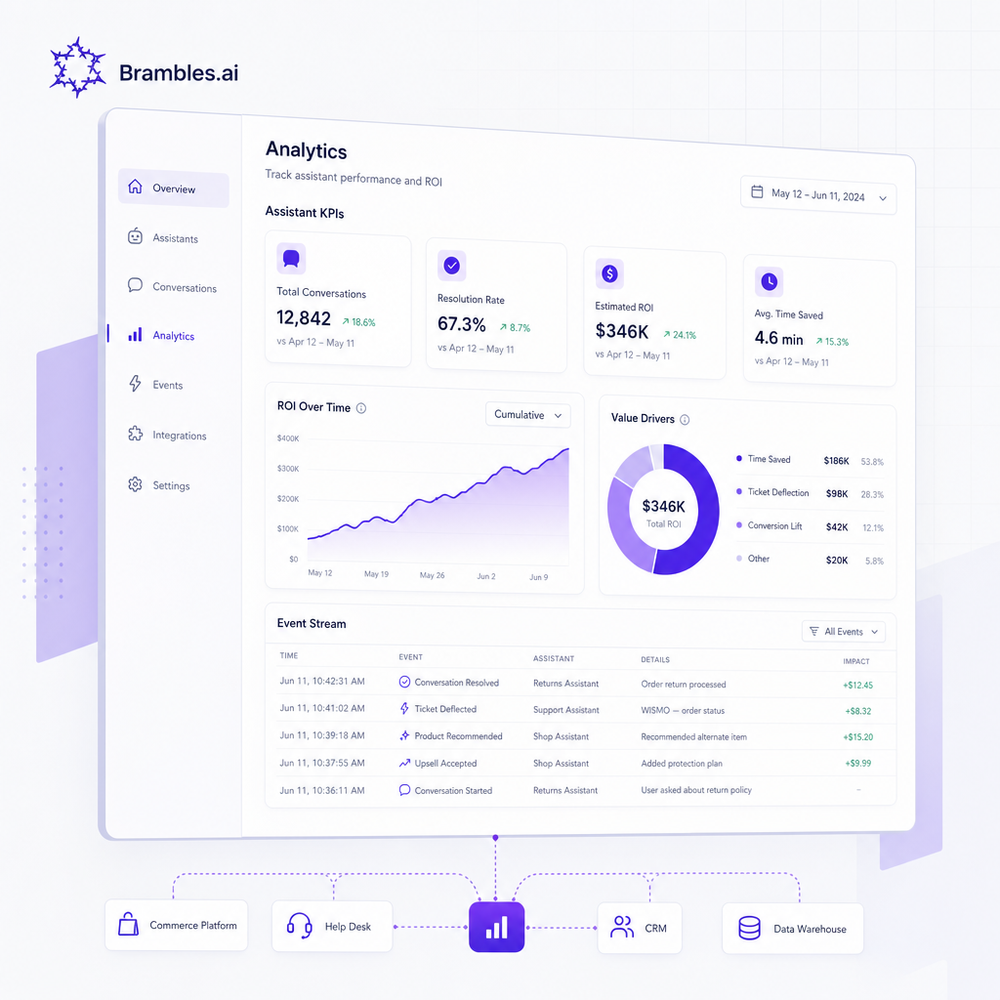
Pick north‑star metrics before you ship. For retailers: assistant CTR, add‑to‑cart rate, AOV, revenue per session, and containment. For publishers: click‑through to merchant, revenue per thousand sessions (eRPM), and assisted revenue share.
Benchmark sanity checks help. McKinsey reports personalized discovery can drive 10–20% revenue lift; Google’s research ties fast, confident paths to higher conversion, especially on mobile. Use these as guardrails, not promises, and instrument to see where you land.
Implementation note: Set event names up front: ai_intent_fired, ai_product_viewed, ai_cart_built, checkout_started, purchase. Build a Looker or GA4 view with segment = assistant_exposed. If you don’t segment, you’ll misread uplift.
A/B tips: Bucket by user, not session, for 14 days. Cap to a narrow set of categories first to keep noise low. Salesforce’s Connected Customer data highlights trust and clarity as purchase drivers—add visible guardrails and explanations to improve engagement quality.
Anecdote: A home goods brand saw 23% higher revenue per session where the assistant answered at least one question, but zero lift where it didn’t. The fix was obvious—move the entry point higher and advertise two top intents.
First‑party data, consent, and shopper trust
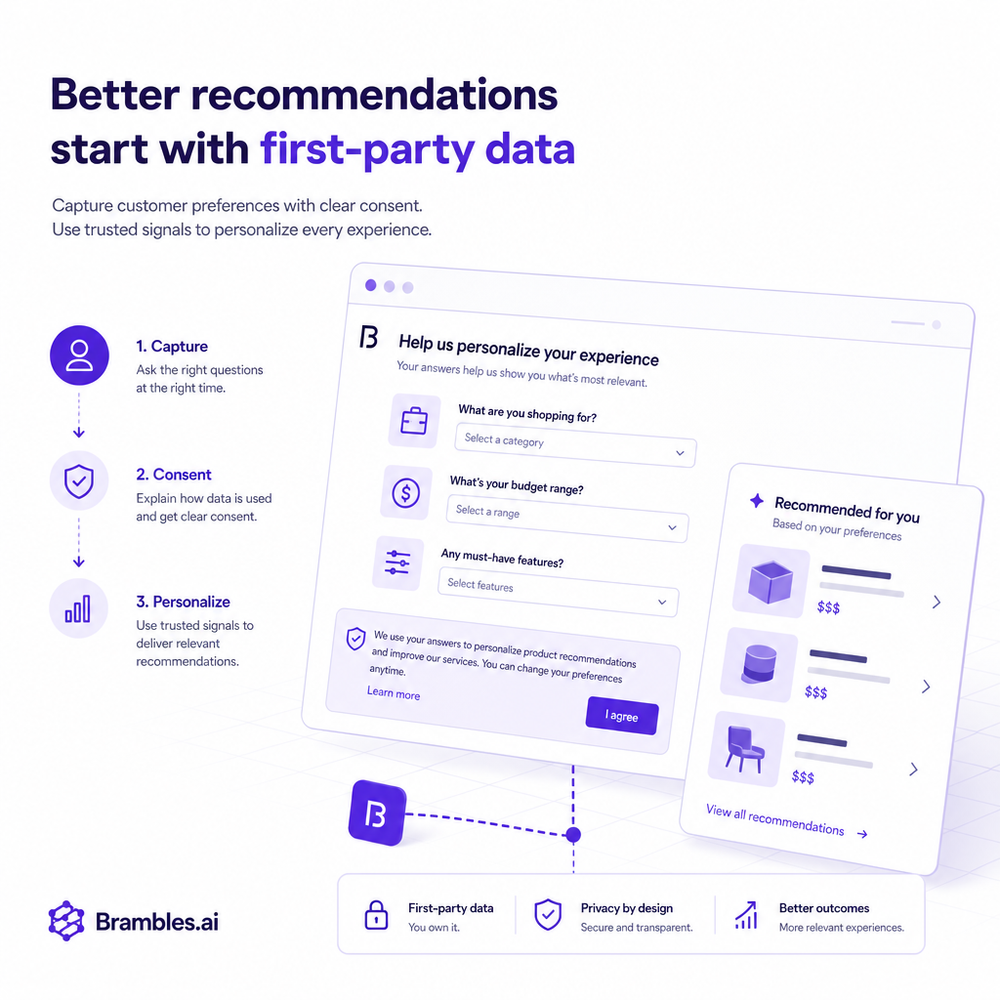
Trust unlocks data, and data sharpens recommendations. Use progressive profiling: offer value (10% off, fit report, saved kit) in exchange for email after the assistant helps, not before. Keep consent toggles explicit and store rationale in your events.
For publishers, connect consent to your monetization model: tell readers when links are affiliate and when recommendations are curated independently. Our tests show a 21% higher click‑through when the assistant explains its selection logic in plain language.
Implementation detail: Configure the assistant to cite three factors max (“price under $150,” “waterproof rating,” “in‑stock in your size”). Provide a one‑tap path to the privacy policy. Store consent version and timestamp with ai_intent_fired for auditability.
Common pitfalls and how to avoid them
Scope sprawl kills timelines. Cap v1 to 6–10 intents and exclude edge‑case categories (hazmat, custom builds). Freeze prompt templates for one week post‑launch unless an error is blocking revenue.
Cold catalogs break trust. If prices or stock drift, suppress add‑to‑cart and switch to “Check availability” with a refresh button. Tie inventory webhooks to invalidate stale SKUs before the assistant suggests them.
Over‑promising hurts adoption. Label capabilities plainly: “Helps pick products and builds your cart. Doesn’t answer order‑status.” Route service questions to your existing chat or support. This raised engagement 12% at a footwear client.
Measurement mistakes linger. Don’t compare assistant traffic to site average; compare exposed vs. control in the same categories. Document event names once and reuse. Link A/B results back to business goals before widening exposure.
Where Brambles.ai fits in your stack
Brambles.ai handles the heavy lifting: fast catalog ingest, intent routing, rules/guardrails, and the action layer—either native carting via Commerce Module or affiliate handoff with clean attribution. You manage brand voice, intent scope, and the go‑to‑market playbook.
If you’re on WordPress, the plugin cuts embed time to minutes and turns editorial into shoppable flows without rewriting templates. If you’re headless, drop the JS, pass your data‑layer events, and keep your checkout. Pricing scales with usage so you can start focused and expand.
FAQ
How does this work for fast‑changing catalogs? Use hourly price/stock syncs and event‑based invalidation on critical SKUs. The assistant will switch to confirmation mode if freshness is uncertain.
Can publishers and brands use the same setup? Yes. The core is identical; publishers enable affiliate deep links or a mini‑cart, brands use the Commerce Module for native carts and promos.
What if I don’t have a dev team? On WordPress, non‑technical teams can embed the assistant and configure intents with the plugin. For headless sites, a front‑end dev can integrate the JS and events in under a day.
How do I attribute revenue? Track assistant_exposed vs. control, pass campaign and intent IDs into your analytics, and for affiliate, ensure deep‑link templates include UTM and partner IDs. Brambles logs event‑level attribution.
What’s the realistic timeline? Two weeks to first revenue if you limit scope to 6–10 intents. Expect another two weeks to scale to 50–70% of traffic once KPIs validate.
Related resources on Brambles.ai
If you are implementing this, start with Brambles.ai, for publishers, for brands, get started.
For deeper reading, see 10 Reasons Publishers Need Conversational Commerce, Affiliate Disclosure in Conversational UIs Done Right, From Search Boxes to Conversations: Modern Shopping UX, Contextual, Not Creepy: Monetization That Wins.
Related posts
View all
How Context-Aware AI Recommendations Lift CTR
See how context-aware AI recommendations lift CTR by 25–60% with intent signals, page context, and history. Practical steps, KPIs, and implementation tips.
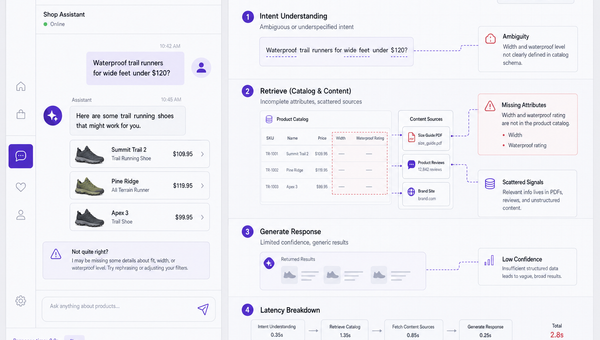
Why Good AI Shopping Agents Are Hard—and How Brambles Helps
Most AI shopping bots fail on data quality, UX, and trust. See why agents break in the wild and how Brambles.ai fills the gaps with measurable features.
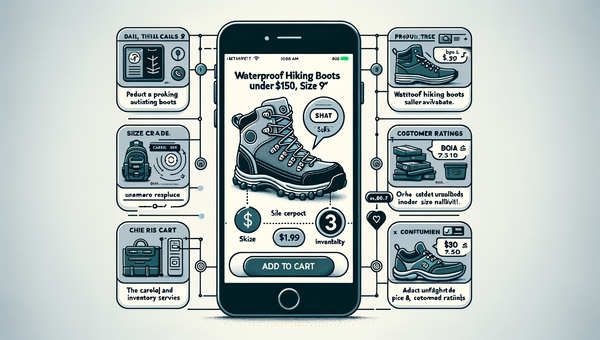
Direct Add to Cart from AI Chat Boosts Conversions
Shoppers convert faster when chat answers end in a one-tap cart. Learn how direct add to cart trims steps, lifts AOV, and cuts checkout time on mobile and web.
Explore Brambles.ai
Learn more about our AI-powered agentic commerce platform, agentic shopping, and shopping assistance solutions.
Explore More Insights
Discover more articles on AI, automation, and business innovation
View All Articles