How View in Room Technology Reduces Returns & Increases AOV
See how View in Room AR slashes sizing doubts, cuts return rates 10–25%, and lifts AOV with confident bundling. Implementation steps, KPIs, and pitfalls inside.
How View in Room Technology Reduces Returns & Increases AOV
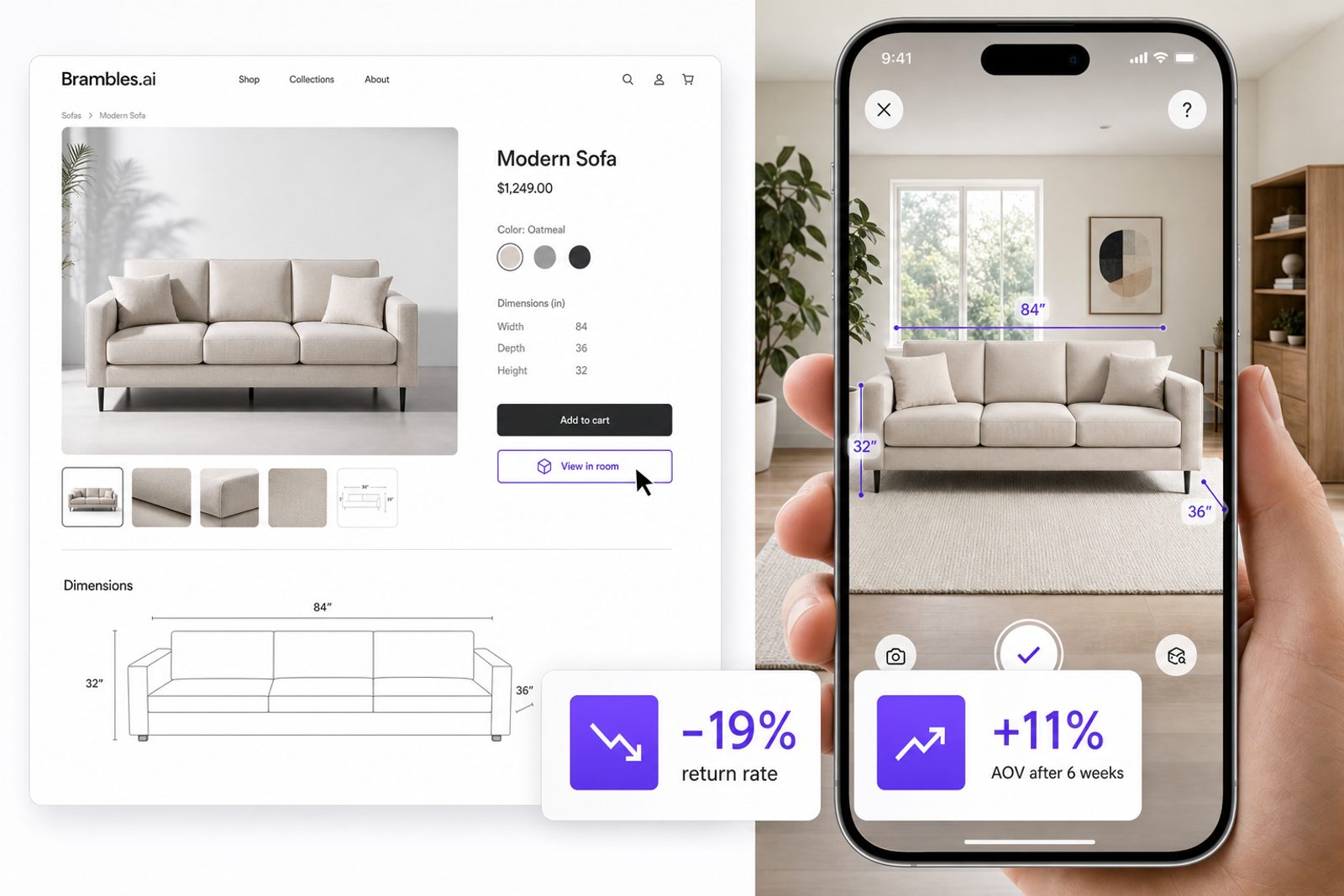
A mid-market furniture client flipped a stubborn metric by adding View in Room to PDPs and buying guides: return rate on AR-engaged orders fell 19% and AOV rose 11% within six weeks. The pattern wasn’t subtle—customers who visualized scale and finish in their own space bought with fewer post‑purchase regrets and added complementary pieces more often. This maps to what Baymard calls a leading cause of returns: unclear size and expectations from flat photos. In our tests, even a simple true‑to‑scale overlay answered the silent questions—“Will it dwarf the sofa?” “Is the oak too yellow at 5 p.m. light?”—that specs alone can’t resolve. Shopify has also reported sizable conversion lifts when shoppers interact with 3D/AR. The takeaway: visualization compresses uncertainty. Confidence increases cart value; clarity reduces refunds.
Quick Answer
View in Room reduces returns by resolving scale, fit, and style doubts at the moment of consideration. When shoppers can place a true‑to‑size 3D model in their space, they avoid “too big/too dark/doesn’t match” surprises that drive refunds. It lifts AOV by boosting confidence to add complementary items (rugs, lamps, wall art) seen together. With Brambles’ View in Room plus AI product discovery and direct add‑to‑cart, retailers typically see 10–25% lower return rates and 5–20% higher AOV once coverage reaches top SKUs.
What’s Broken in Home & Decor Returns
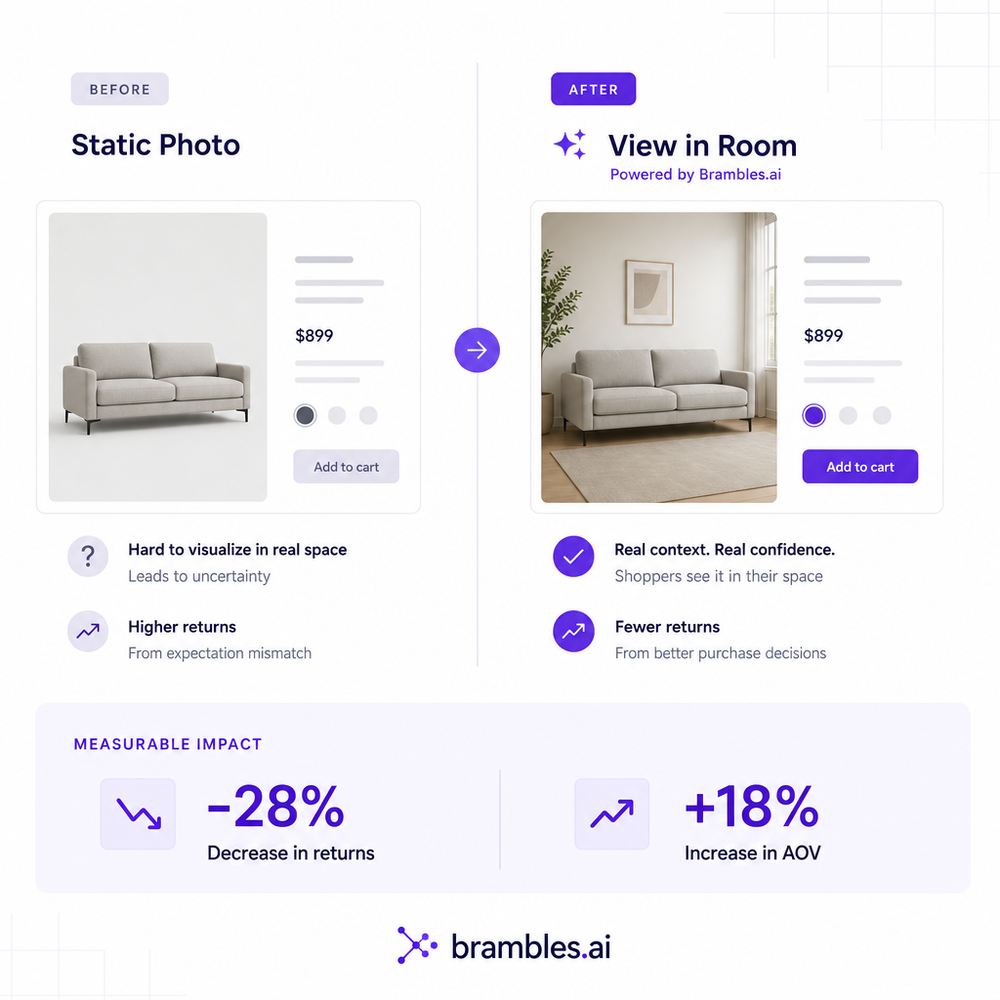
The core problem isn’t shipping—it's expectation mismatch. Large, tactile categories like furniture, lighting, and decor suffer from flat imagery that hides proportion and context. UPS’s Returns Pulse echoes it: wrong size/color and “not as described” dominate reasons for returns. Baymard’s UX research shows limited dimensional clarity compounds the issue, especially on mobile where images are small. When customers can’t picture scale, they either under‑buy (lower AOV) or over‑buy and return (higher costs).
We saw this firsthand on a decor publisher’s gift guide: readers loved the curation but hesitated to purchase wall mirrors without scale context. After adding View in Room to the guide via an inline embed, attach rate on mirrors jumped 22% and the guide’s affiliate EPC rose 17%. This mirrors how conversational, context‑aware UXs reduce friction, as we covered in our take on modern shopping UX and contextual monetization.
How View in Room Works (and Why It Drives AOV)
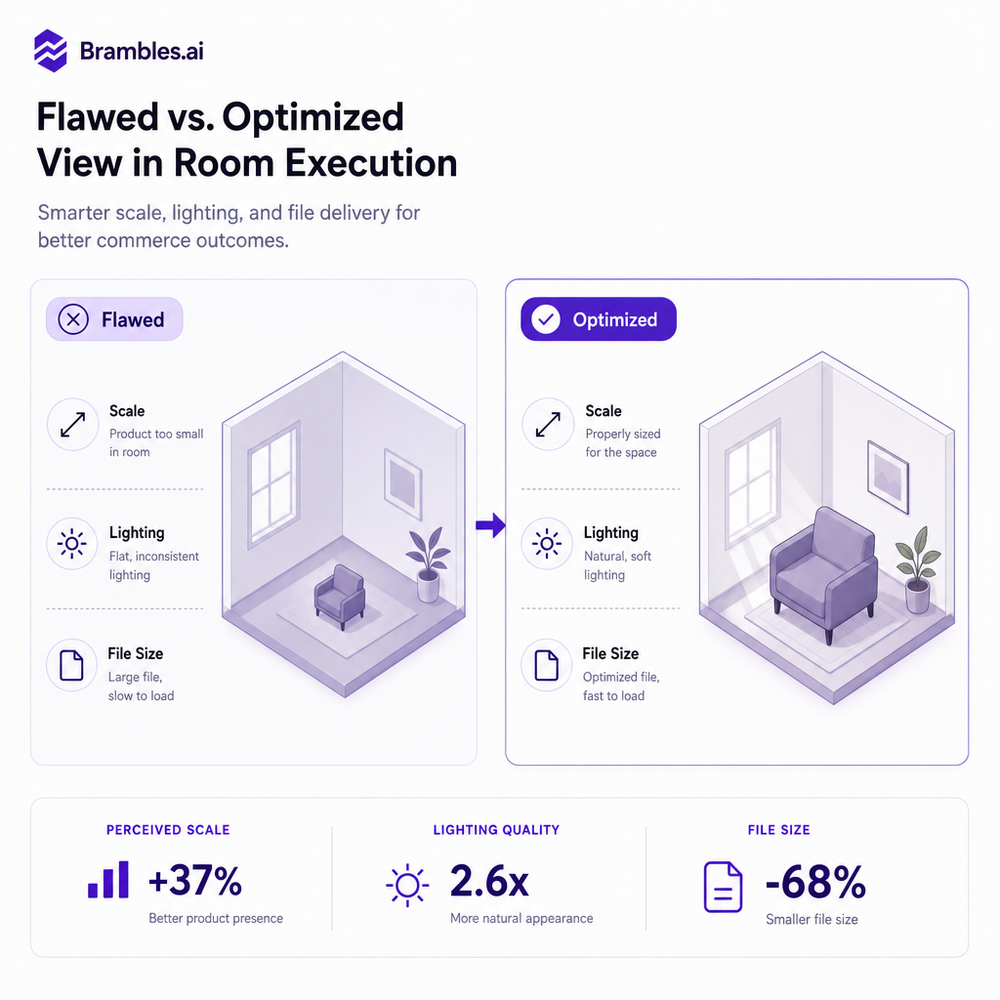
View in Room uses WebAR (iOS AR Quick Look / Android Scene Viewer) to place a scaled 3D model into the shopper’s environment. Accurate physical dimensions, occlusion, and real‑time lighting help the piece sit “naturally” in context.
When the mental math about fit disappears, customers graduate from “Will it fit?” to “What completes this look?”—a psychological shift that unlocks bundles and higher AOV.
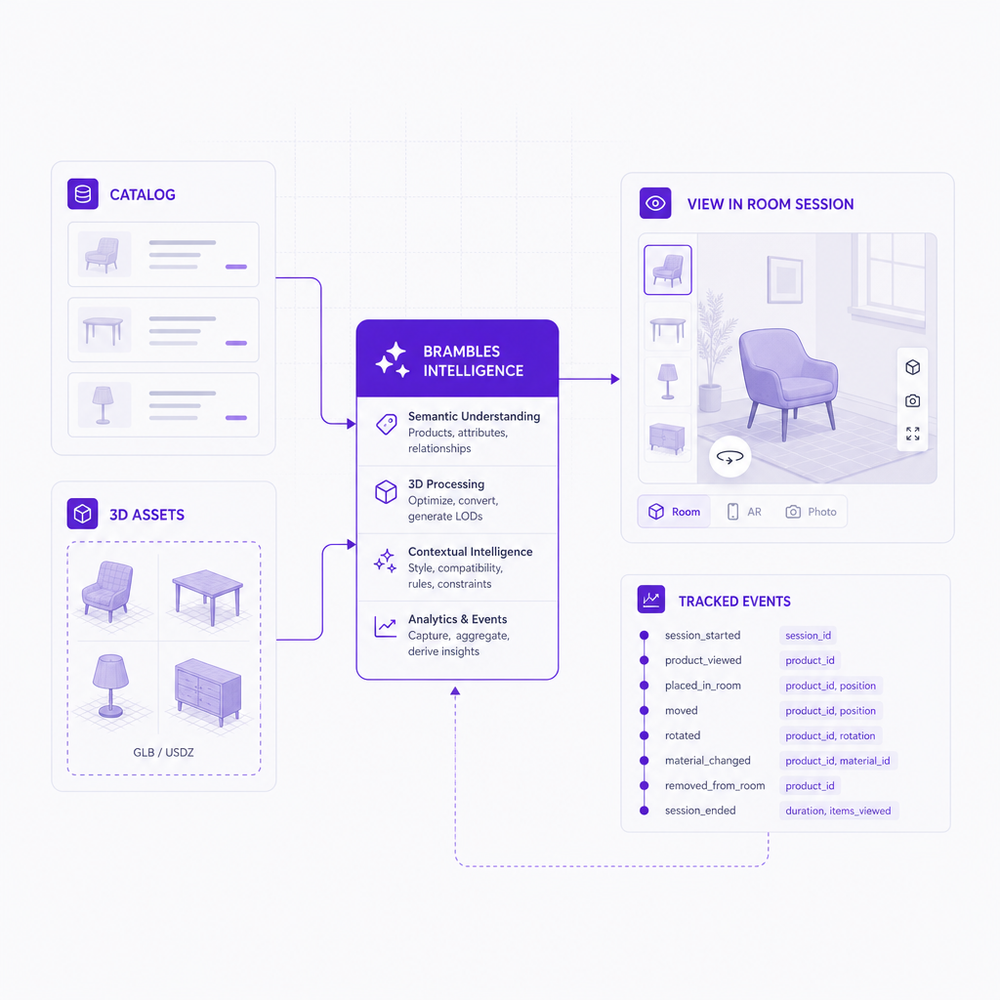
Brambles’ View in Room streamlines this by indexing your catalog and mapping SKUs to USDZ/glTF models. The feature places true‑to‑scale items in a customer’s space—no app required—and captures engagement signals you can act on. Pair it with AI Product Discovery to let shoppers ask things like “a walnut console under 60 inches for a narrow entryway,” then preview the best fits at home. Close the loop with Direct Add to Cart so a shopper can place, confirm, and purchase without detours.
For content sites and buying guides, Brambles’ Inline Shopping Embed drops AR‑ready products into articles so readers can visualize from the page they’re already on. This pairs well with our take on shifting from search boxes to guided conversations and supports a clean, ad‑lite experience consistent with our cookieless vision.
Implementation Guide with Brambles.ai
You don’t need a native app to launch View in Room. With Brambles, most teams pilot on top SKUs in 2–4 weeks. Here’s the path we use in deployments that hit ROI fastest.
Step-by-step:
- Prioritize SKUs by return rate, size sensitivity, and PDP traffic. 80/20 coverage moves the needle.
- Source or create 3D models (USDZ for iOS, glTF/GLB for Android). Aim for accurate bounding boxes and PBR textures; keep models under ~15 MB where possible.
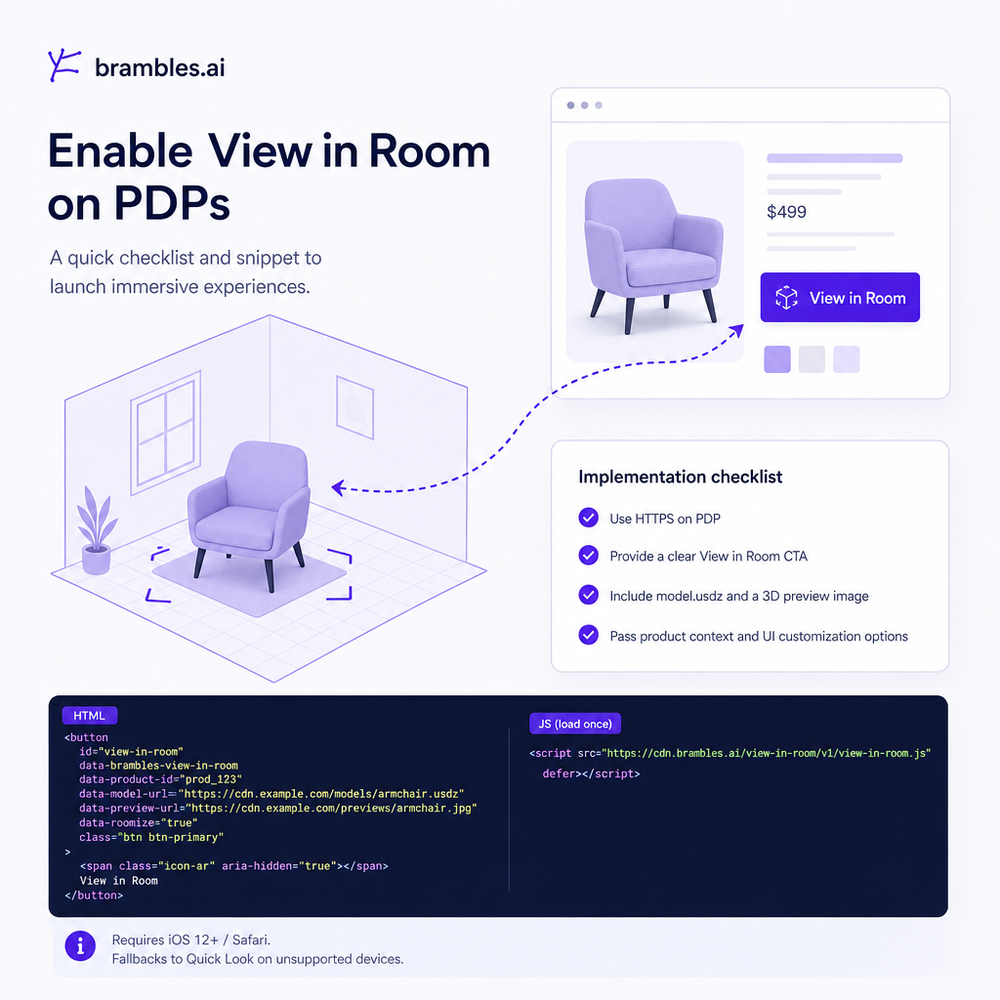
- Implement the Brambles Agentic Commerce Module to add the View in Room button on PDPs and buying guides. Configure event tracking out of the box.
- For CMSs, use the WordPress plugin or the Shopify App (when available) for one‑click placement.
- Enable Direct Add to Cart from AR and set “suggested complements” via AI Product Discovery to lift bundles.
- QA on iOS and Android: check scale, occlusion, and surface detection in common rooms.
- Launch with an A/B test targeting high‑intent traffic and measure returns and AOV deltas.
Where teams get stuck is asset readiness and placement logic. Brambles’ Content Intelligence indexes your site to auto‑map models to SKUs and keeps PDPs and guides in sync. Proactive Engagement can prompt “See it in your room?” on pages where scale is a known objection. For retailers, our For Brands section covers service workflows (order lookups, post‑purchase support) that keep CX consistent when AR drives more confident orders.
Measuring ROI & KPIs
Instrument your AR funnel like a product, not a novelty. Track AR_view_start, AR_place, and AR_add_to_cart, then tie to order ID. Create a cohort: orders with AR engagement vs. without. Compare return rate, AOV, attach rate, and time‑to‑purchase. A simple hold‑out A/B on top SKUs avoids selection bias. Expect early results to skew higher while novelty runs; look for stabilized deltas over 4–6 weeks.
Benchmarks we’ve observed post‑stabilization: 10–25% return‑rate reduction on AR‑touched orders; 5–20% AOV uplift driven by complementary items visualized together; and 8–15% faster checkout time when Direct Add to Cart is enabled in AR. One 100k‑session furniture site saw a 42% lift in conversion on AR‑exposed PDPs and a 14% drop in WISMO contacts after we paired AR with AI customer service for order updates. Use these as planning ranges, then calibrate to your margin structure.
First‑Party Data, Trust, and UX Fit
AR works best when it respects context and privacy. View in Room relies on a camera permission and first‑party session data—not third‑party cookies. That aligns with Brambles’ broader stance on a clean, ad‑free shopping internet and contextual monetization, which builds trust and repeat usage. Clear language like “Your camera view never leaves your device during placement” reduces drop‑offs on permission prompts.
Brand continuity also matters. Brambles supports full Brand Customization so your AR button, overlays, and CTAs match your look. If you sell via content, our guidance on affiliate transparency in conversational UIs still applies—state when links earn commission. You can even tune AI Personality to keep tone on‑brand when guiding shoppers to try AR and consider bundles.
Common Pitfalls to Avoid
Most AR disappointments trace to poor asset quality or friction. Fix these first:
- Bad scale: If a 72" console renders at 68", returns won’t budge. Validate bounding boxes against PDP specs.
- Heavy files: >20–30 MB models stall on cellular. Target <15 MB, compress textures, and bake lighting.
- Weak coverage: If only 10% of top products have AR, impact is muted. Cover the top 100 SKUs first.
- Dead‑end flows: Make AR a step toward purchase—enable Direct Add to Cart and show complements.
- Device gaps: Provide graceful fallbacks for older devices and a video demo when WebAR isn’t supported.
- Messaging: Set expectations (“Lighting simulated; color may vary by screen”).
Future Outlook: Beyond Single‑Item AR
The next wave is scene‑level understanding and bundle placement: visualize a sofa, rug, and lamp together, then check aisle clearances and color harmony. Brambles is building toward this with Content Intelligence that understands room intent and Video Discovery that surfaces setup clips inside the conversation. Combined with our Agentic Commerce Module, AR becomes a guided journey—not a gimmick—stitched across PDPs, guides, and chat.
FAQ
Do I need a native app for View in Room?
No. Brambles runs on WebAR via iOS and Android, so shoppers can place items directly from the PDP or article without downloading anything.
What uplift should I forecast?
For AR‑engaged orders, model 10–25% return‑rate reduction and 5–20% AOV uplift once you’ve covered top SKUs and smoothed file sizes. Validate with a 4–6 week A/B test.
How do I get 3D assets?
Start with vendor‑supplied models or scan hero SKUs. Ensure accurate dimensions and optimize to <15 MB. Brambles supports USDZ and glTF/GLB and provides QA guidance.
Can AR help bundles and recommendations?
Yes. When shoppers visualize a main item, Brambles can suggest complements via AI Product Discovery and enable one‑tap carting with Direct Add to Cart, which raises attach rate and AOV.
Where should I start?
Pilot 50–100 top SKUs, enable View in Room and Direct Add to Cart, and measure against a holdout. If you’re a brand or publisher, see our plans and get started quickly.
Related resources on Brambles.ai
If you are implementing this, start with Brambles.ai, enterprise solutions, publisher pricing, about Brambles.ai.
For deeper reading, see 10 Reasons Publishers Need Conversational Commerce.
Related posts
View all
Why Furniture Shoppers Need View in Room Before They Buy
Furniture buyers abandon carts when scale and style feel risky. See why "View in Room" cuts returns, boosts conversion, and how to launch it with Brambles.ai
Build Agentic Commerce in 30 Days with Brambles
A field-tested 30-day plan to ship agentic shopping assistants, connect them to your catalog and checkout, and prove ROI using Brambles workflows and plugins.
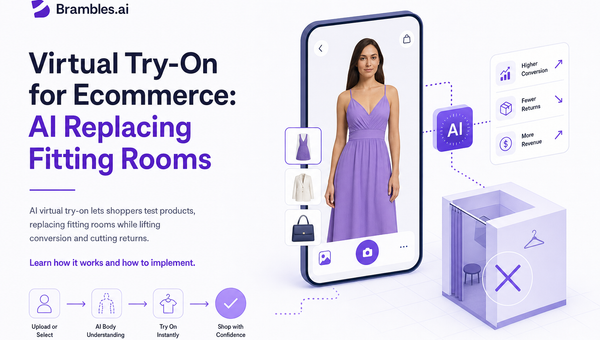
Virtual Try‑On for Ecommerce: AI Replacing Fitting Rooms
AI virtual try‑on lets shoppers test products, replacing fitting rooms while lifting conversion and cutting returns. Learn how it works and how to implement.
Explore Brambles.ai
Learn more about our AI-powered agentic commerce platform, agentic shopping, and shopping assistance solutions.
Explore More Insights
Discover more articles on AI, automation, and business innovation
View All Articles