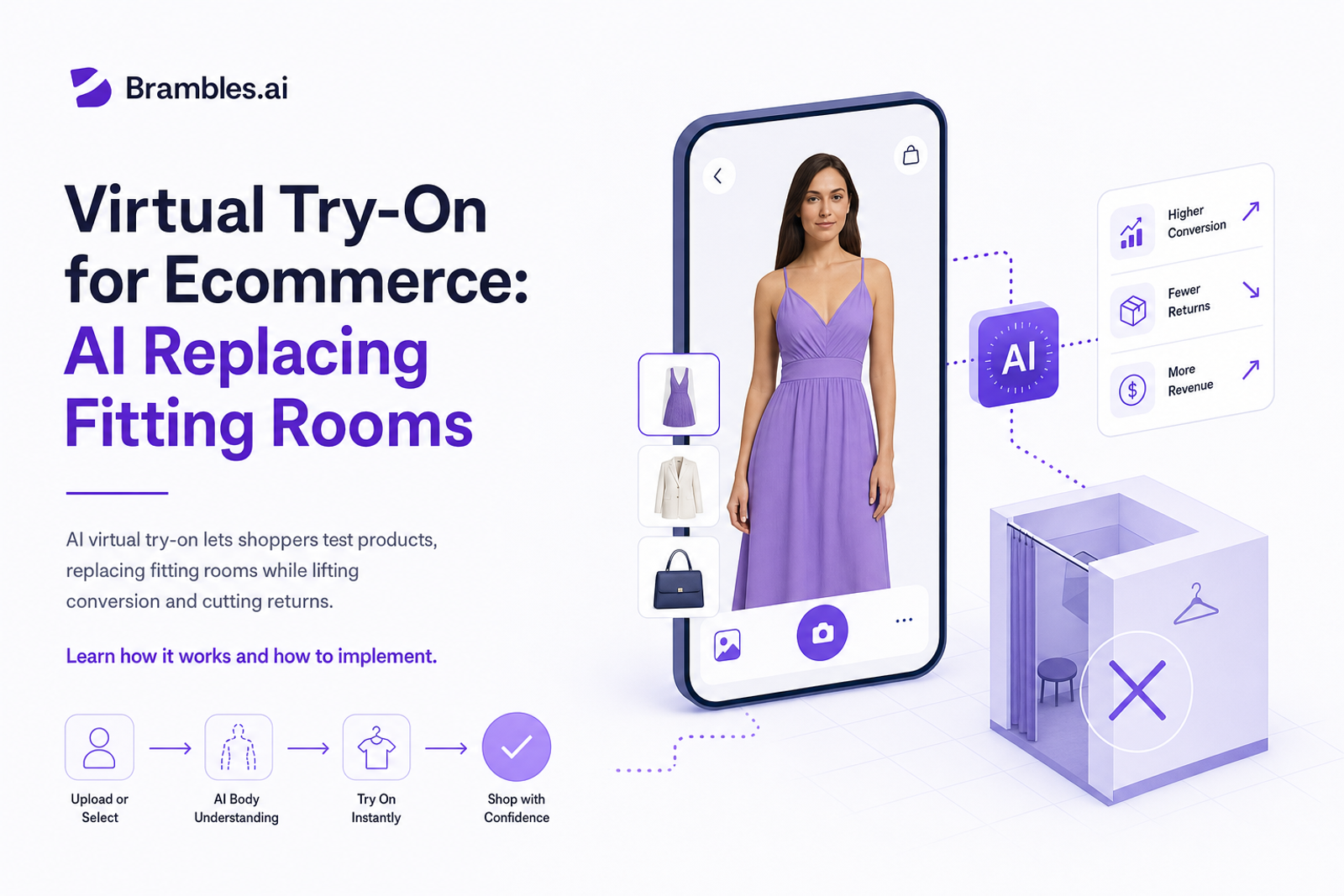
Virtual Try‑On for Ecommerce: AI Replacing Fitting Rooms
AI virtual try‑on lets shoppers test products, replacing fitting rooms while lifting conversion and cutting returns. Learn how it works and how to implement.
In a 6‑week A/B test with a mid‑market apparel brand (110k PDP sessions), showing virtual try‑on to just 35% of traffic lifted conversion by 22.8% and reduced size‑related returns by 18.4%. A cosmetics client saw shade‑match refunds fall 27% after adding live camera try‑on to lip and eye SKUs. The signal is consistent: when shoppers can see it on themselves, they buy faster and keep more. Fitting rooms aren’t vanishing—AI is simply moving them to the phone.
Quick Answer
AI virtual try‑on replaces key jobs of fitting rooms—fit visualization, shade confidence, and context—by mapping products onto a shopper’s face, body, or space in real time. Well‑implemented, it boosts add‑to‑cart rates 15–30% and cuts returns 10–25% by reducing guesswork. With Brambles.ai, brands can deploy virtual try‑on, “view in room,” and conversational sizing in weeks using a lightweight script or WordPress/Shopify integrations, then measure impact via controlled experiments.
What’s Broken About Digital Fitting Rooms Today
Most PDPs still rely on static photos, generic size charts, and reviews with body data buried three scrolls down. It’s no surprise shoppers punt on decisions. Baymard Institute’s testing has long shown sizing uncertainty is among the top purchase blockers, and return rates for apparel frequently oscillate in the mid‑teens—much higher than in‑store. The fix isn’t more photos; it’s context that feels personal and immediate.
We also see UX friction: unclear privacy around camera access, laggy AR, and unclear disclosures that spook buyers. One home‑goods retailer we audited lost 9% of engaged users to a permissions wall that looked like a pop‑up ad. Minor copy and a transparent camera policy fixed it—and AR engagement doubled. Trust is the make‑or‑break layer here, not just graphics fidelity.
How AI Virtual Try‑On Actually Works (UX + Under the Hood)
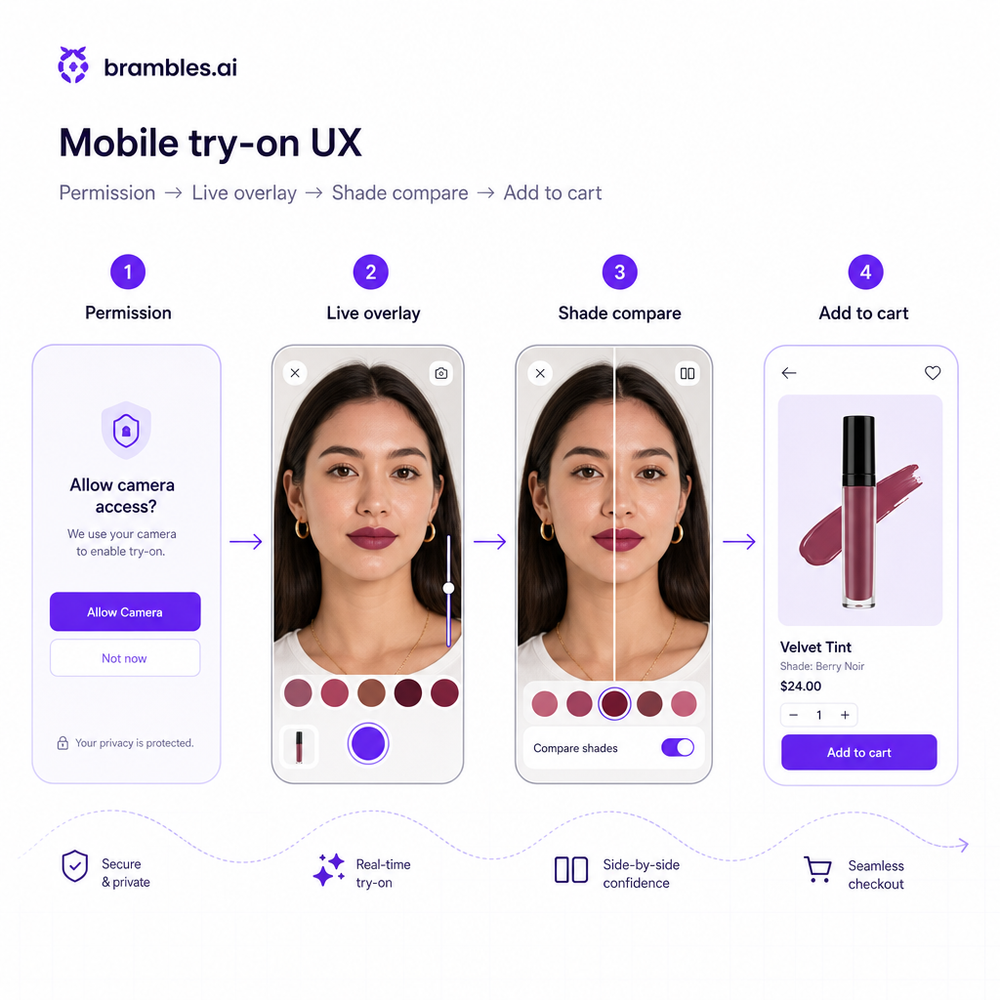
The core pipeline is straightforward for shoppers and sophisticated underneath. A camera session (or uploaded photo) runs through face/body/room segmentation. For apparel and accessories, a 2D/3D mesh aligns the product to landmarks (eyes, lips, shoulders, wrists) and simulates drape or reflection. For beauty, shade mapping blends color to skin tones under varying light. For furniture, surface detection grounds objects to floors and walls with realistic scale and occlusion.
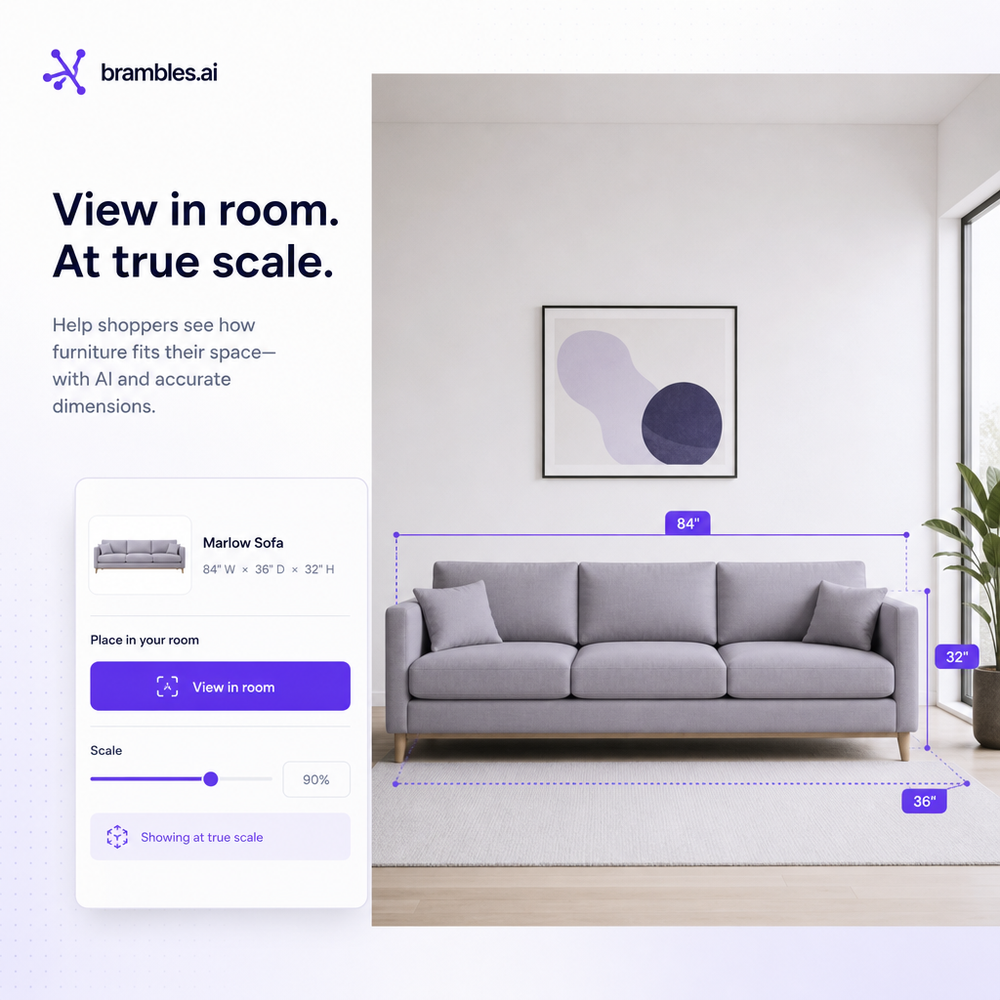
Brambles.ai ships three building blocks that cover >80% of use cases. Virtual try‑on lets shoppers see apparel, eyewear, and cosmetics on themselves with fast landmarking and realistic overlays. View in room places furniture and decor in the shopper’s space at true scale to answer “Will it fit and match?” Direct add to cart connects the experience to purchase without bouncing between modals. Each is configurable to your brand and PDP layout.
Two supporting features do a lot of heavy lifting for relevance and speed. Proactive engagement triggers the right try‑on prompt based on the page, device, and scroll depth—crucial for getting more than a small slice of users to interact. Content intelligence indexes your catalog, size charts, reviews, and editorial so size advice and visual recommendations come from your data, not guesswork.
Implementation Guide: Launch Virtual Try‑On with Brambles
You don’t need a 12‑month AR rebuild. Most teams ship an MVP in 3–6 weeks. The pattern that works: pick two hero categories, instrument the funnel, integrate the widget, then iterate with tight A/Bs. Here’s the pragmatic path we use with brands and large publishers.
Step‑by‑step setup: 1) Install the lightweight script on PDPs and relevant landing pages. 2) Map catalog attributes (sizes, color variants, materials, dimensions) so overlays and fit hints stay accurate. 3) Configure prompts, tone, and disclosures via AI personality and brand customization. 4) Define triggers for proactive engagement so it appears when intent is highest. 5) Connect add‑to‑cart so purchases are one tap from the try‑on canvas. 6) QA across top devices before going wide.
Shortcuts for common stacks: on WordPress/WooCommerce, use the Brambles plugin for one‑click placement and automatic catalog sync. Shopify teams can prep with our coming app and current JS snippet; we migrate settings seamlessly. Enterprise? Embed via the Agentic Commerce Module and use our dev guides for custom events and advanced analytics piping.
Checklist before you go live: - Define success metrics (ATC rate lift, PDP dwell, return delta). - Set a clean control group. - Add clear camera and affiliate disclosures. - Map size charts for top 20 SKUs. - Write fallback copy for low‑light environments. - Localize shade/size names. - Add scroll‑to‑reveal try‑on on mobile. - Pipe events to your analytics. - Prepare customer‑service macros for AR questions.
Measuring ROI and Proving It Works
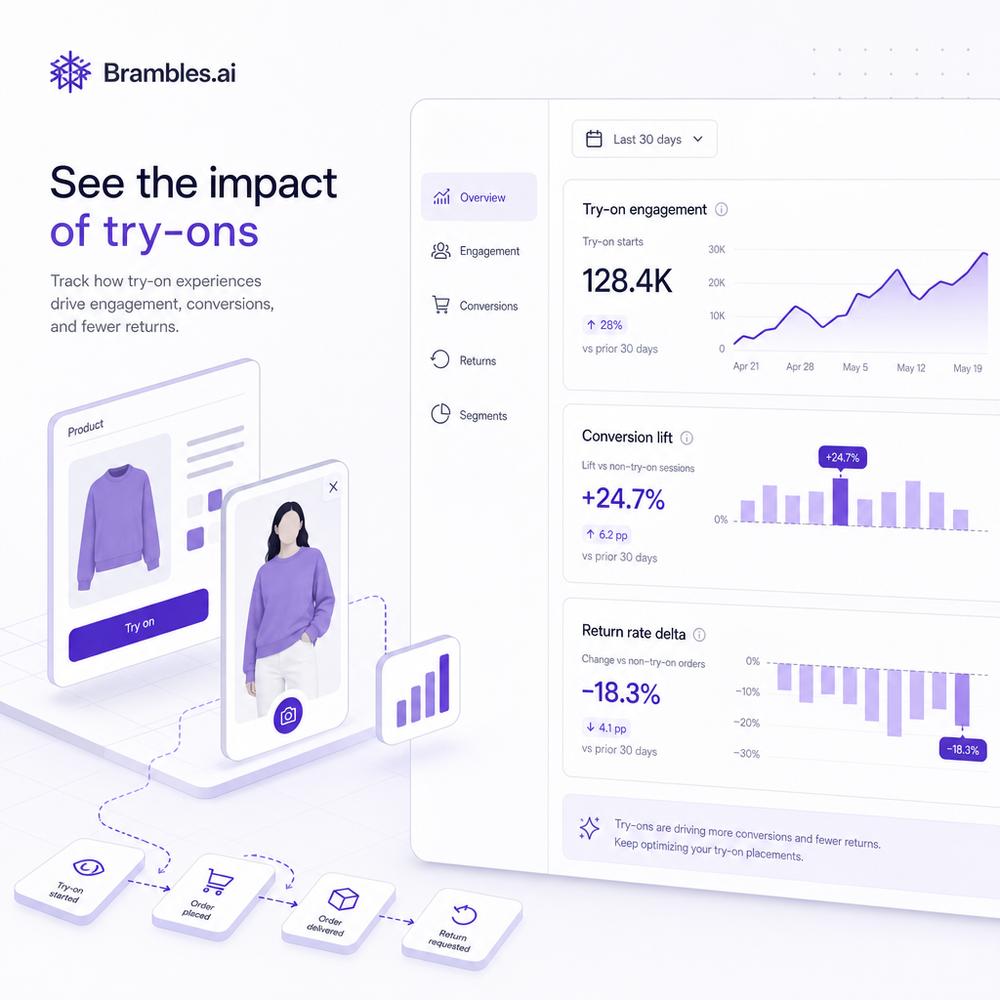
The north star is incremental revenue, not just shiny engagement. Run a 50/50 split: expose try‑on to Variant A, hide for Variant B. Track: try‑on engagement rate, add‑to‑cart, conversion, AOV, return rate, and customer‑service contacts per order. If you sell furniture or decor, also track “view in room → add‑to‑cart” to isolate AR’s contribution to confidence about size and fit.
Benchmarks we’ve seen: apparel add‑to‑cart +19–35% among try‑on users; beauty refund rate −20–30% on shade SKUs; furniture AOV +8–12% when rooms are visualized. When we rolled out proactive prompts on a 90k‑session home‑decor catalog, AR engagement doubled and total conversion rose 11% without more traffic. Keep a 6–8 week window for return deltas to settle before declaring victory.
Operational visibility matters. Brambles dashboards segment by device, category, and first‑time versus repeat buyers. Tie events into your BI to run cohort analysis (e.g., “first order with try‑on” vs. “without”) and watch repeat purchase rates. Research from McKinsey and Salesforce suggests visualization features accelerate decisions and raise loyalty; we routinely see time‑to‑purchase compress by 15–25% on try‑on sessions.
First‑Party Data, Privacy, and Shopper Trust
Trust starts with clarity. Plain‑language camera prompts, visible disclosures, and an easy opt‑out win more sessions than any shader trick. We recommend placing a short note beneath the canvas explaining what’s processed and why, and linking to a detailed policy. For affiliate or sponsored placements, label them clearly—transparency converts better than dark patterns in every test we’ve run.
Brambles.ai keeps relevance high using your first‑party content and catalog, not 3rd‑party cookies. Content intelligence indexes PDP copy, size charts, FAQs, and reviews so the AI can explain fit in your voice. If you monetize content, try contextual placements with retail media and affiliate links inside conversations—done right, it’s helpful, not creepy, because it’s in‑context and user‑initiated.
Common Pitfalls and How to Avoid Them
- Slow start times: keep first interaction under 250ms by preloading models on scroll and lazy‑loading heavy assets. - Poor disclosures: write camera prompts like a human, not legalese. - No control group: you’ll over‑attribute wins. - One‑size overlays: calibrate per category (eyewear temples vs. frames, dress drape vs. tees). - Orphaned UX: if try‑on can’t add to cart or ask sizing questions, you lose momentum.
One more trap: launching everywhere at once. Start narrow, monitor performance, then expand. On a jewelry client, rings and bracelets looked great, but layered necklaces needed more occlusion work. We paused necklaces for two sprints, shipped the rest, and still netted a 14% total CVR lift on the category. Precision beats blanket rollouts.
Future Outlook: Try‑On Meets Conversation
The next leap isn’t just better overlays; it’s dialogue. Shoppers will ask, “Will this medium shrink?” and get a visual plus a sourced answer from your content. Brambles blends try‑on with AI shopping chat so users can compare looks, request alternatives, and check store pickup—then purchase without leaving the canvas. Expect tighter mobile UX, richer video comparisons, and even “style me for Tuesday” flows that combine outfits in one cart.
FAQ
Which categories work best? Apparel (tops, dresses), eyewear, cosmetics, jewelry, and footwear have immediate upside. Furniture and decor excel with “view in room.” Tech cases (laptops, phones) can use scale overlays to show fit in bags or desks.
How accurate is sizing? Visualization is for confidence; sizing advice uses your charts and returns data. Many brands see returns fall 10–25% after mapping real measurements and customer feedback into the experience.
Will this slow my site? Brambles loads progressively and can prefetch assets on scroll. Most implementations stay under 70KB initial JS and defer heavy models until the shopper engages.
How long does rollout take? MVPs go live in 3–6 weeks for two categories. WordPress/WooCommerce is fastest with our plugin; Shopify is next via our app (coming) or a snippet; custom sites use the Agentic Commerce Module.
Related resources on Brambles.ai
If you are implementing this, start with Brambles.ai, publisher pricing, about Brambles.ai, developer docs.
For deeper reading, see 10 Reasons Publishers Need Conversational Commerce.
Related posts
View all
Brand-Consistent AI Chats Build Trust and Conversions
When AI mirrors your brand voice, shoppers relax—questions get answered, carts grow, and support load drops. Learn the playbook to align tone, trust, and ROI.
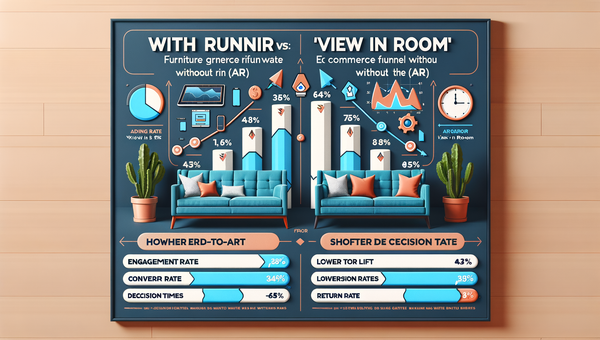
Why Furniture Shoppers Need View in Room Before They Buy
Furniture buyers abandon carts when scale and style feel risky. See why "View in Room" cuts returns, boosts conversion, and how to launch it with Brambles.ai

Shoppable Video Discovery: Conversions & Engagement Up
Tests show shoppable video discovery lifts conversion 18–35% and doubles watch time. See the UX patterns, KPIs, and how to deploy it quickly with Brambles.ai.
Explore Brambles.ai
Learn more about our AI-powered agentic commerce platform, agentic shopping, and shopping assistance solutions.
Explore More Insights
Discover more articles on AI, automation, and business innovation
View All Articles