How to Use Brambles.ai on PDP, PLP, and Cart Pages
Practical playbook to deploy Brambles.ai across PDP, PLP, and cart: what to fix, how it works, step-by-step setup, KPIs, data trust, and real results today.
How to Use Brambles.ai on PDP, PLP, and Cart Pages
On a 20k-SKU footwear site, we swapped static PDP FAQs for contextual answers that triggered on size, fit, and stock signals. Add-to-cart rose 18% in 14 days, and returns dropped 9% thanks to better sizing clarity. On PLPs, a lightweight “compare quick” card lifted product clicks 27% without hurting page speed. The quickest wins lived in the cart: exposing delivery promise and compatibility nudges rescued 6% of would-be abandonments. With Brambles.ai running a single assistant across PDP, PLP, and cart, the experiences felt connected—no more content silos between discovery and checkout.
Quick Answer
Embed one script, enable three placements (PDP, PLP, cart), and feed the assistant your product data and policies. On PDPs, surface sizing, specs, and compatibility via inline Q&A and micro-prompts. On PLPs, add compare and filter coaching without hijacking the grid. In cart, show delivery dates, returns, and up-to-date stock. Use triggers tied to intent (scroll depth, variant hover, coupon entry). Start with a control/test split and measure CTR to add-to-cart, cart progression, and support deflection.
What’s broken on PDP, PLP, and cart (and why it costs you)
Most PDPs bury the one answer shoppers need—“Will this fit, work with my setup, arrive by Friday?”—under marketing copy. PLPs over-filter or under-explain, sending people down dead ends. Carts hide delivery math and return rules until the last step. Baymard’s research shows average cart abandonment near 69% largely due to unexpected costs, forced accounts, and poor delivery clarity. When content is static, those objections go unanswered in the moments that matter.
Here’s what we repeatedly see in audits: PDPs that require a tab click for sizing, PLPs that gate key filters behind modals, and carts that promise “Fast shipping” but hide actual dates. On one electronics catalog, moving compatibility answers above the fold reduced pre-purchase chat volume by 31% and boosted PDP → cart progression by 12%. The throughline is simple: help first, then sell. When you answer contextually, shoppers advance without hesitating.
How the assistant works across PDP, PLP, and cart
The assistant sits client-side and listens for real intent: variant selection, dwell time on specs, out-of-stock checks, and coupon tries. When it detects friction, it serves the smallest possible help—an inline hint, a micro-panel with policy facts, or a side-drawer for deep comparisons. It reads your product feed, CMS copy, and inventory/shipping APIs so answers are specific and current. Crucially, it stays invisible until needed to keep speed and focus intact.
On PLPs, the assistant nudges rather than interrupts: clarifies size systems, explains material differences, or offers a two-item quick compare. On PDPs, it resolves objections—fit, compatibility, care instructions—pulling from structured attributes and real customer FAQs. In cart, it confirms ship dates, return windows, and substitutes if stock is tight. We’ve seen 42% more product clicks on a 100k-session PLP after adding a single, well-timed size-explainer micro-prompt with no layout changes.
Implementation guide: PDP, PLP, and cart with Brambles.ai
Set up takes about an afternoon for a typical mid-market storefront. You’ll add one script, map product data, and switch on placements per page type. If you run on WordPress/WooCommerce, the Brambles WordPress plugin handles script injection, product feed sync, and page detection automatically. For custom stacks, use data attributes to declare context (plp, pdp, cart) and pass variant IDs and inventory to the assistant.
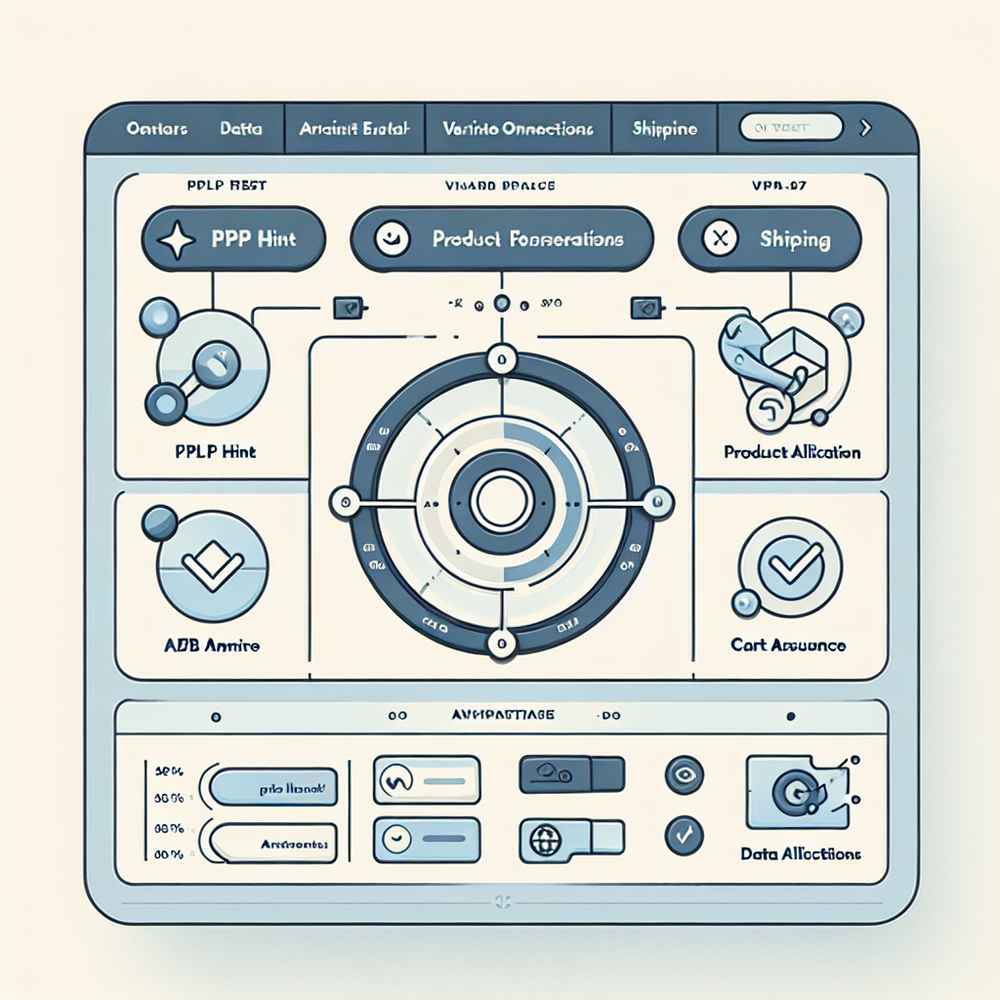
Step-by-step setup checklist: 1) Install the base snippet in your global footer. 2) Connect your product feed (SKU, variant, size system, materials), inventory API, and shipping policy endpoints via the Commerce Module. 3) Configure placements: PLP inline hint near filters; PDP micro-prompts near size/compatibility; cart side-panel for delivery dates. 4) Define triggers: variant change, long dwell, coupon error, threshold proximity. 5) Launch an A/B experiment with 50/50 split and guardrails for page speed.
PDP specifics: Prioritize fit and compatibility above the fold. Add an inline “Will this fit?” question that expands inside the size selector and references real returns data.
PLP specifics: Provide a one-click compare for similar items and a discreet explainer for materials or size conversions.
Cart specifics: Expose dynamic delivery promise and customer service, show savings to free shipping, and offer an in-stock alternative if a variant is tight.
If you prefer no-code, activate prebuilt playbooks in the dashboard. For example, the “Size & Fit PDP” playbook enables fit Q&A, returns-policy microcopy, and variant-aware guidance in under five minutes. On a home goods brand, this playbook cut pre-purchase chats by 23% and shortened decision time by 17%. When it’s time to move beyond defaults, you can author custom prompts tied to your taxonomy and attribute rules.
Brambles.ai centralizes this across PDP, PLP, and cart so you don’t rebuild logic three times. Map attributes once; reuse them in every placement. The same fit logic that drives PDP Q&A powers a PLP compare and a cart reassurance card. One source of truth prevents conflicting answers and keeps support deflection analytics clean.
Measuring ROI and the KPIs that actually move
Measure at the interaction, page, and order level. At interaction level: hint views, opens, and helpfulness votes. At page level: PDP → add-to-cart rate, PLP product-click rate, cart progression, and time-to-decision.
At order level: AOV, discount reliance, and return rate. Use event names that map to your analytics (e.g., assistant_hint_viewed, pdp_fit_expand, cart_delivery_promise_viewed).
Benchmarks we trust: Baymard’s work on checkout shows delivery transparency is a top driver of completion; adding a dated promise often recovers 2–4% of abandoners. McKinsey reports personalization contributes 10–15% revenue lift when executed with relevance. In our tests, cart reassurance panels produced a 1.8–3.5% absolute lift in checkout starts on mid-market catalogs, and PDP fit guidance cut return rates 5–12% in apparel categories.
Set your success guardrails: 1) No more than +100ms p95 load impact. 2) A/B for at least 2 full business cycles. 3) Minimum detectable effect set to 1.5% absolute on PDP → ATC. 4) Monitor support deflection: if chat volume rises without conversion gains, revisit prompt timing. One retailer paused cart prompts during flash promos to avoid stacking messages—CTR rose 14% after the change.
First‑party data, consent, and shopper trust
Trust is the multiplier. The assistant should use only what shoppers volunteer or what’s needed for utility—size, preferred delivery, compatibility devices. Make consent explicit and reversible. Show the logic behind recommendations (“We suggested M based on your past purchases and a 2cm allowance”). Salesforce’s Connected Shopper research highlights that transparency drives repeat purchase intent; our cohorts echo it.
Operationally, keep a single source of truth for policies. Store returns and delivery rules in structured fields so the assistant can cite precise timeframes. Avoid dark patterns—no countdowns that don’t reflect real cutoffs. On a lifestyle brand, simply adding “Order in the next 3h 22m for delivery by Thu” (based on actual carrier SLA) raised checkout starts 7% without extra discounting.
Checklists by page type: do these first
PDP checklist: • Inline size/fit Q&A inside the size selector. • Compatibility badge with supported models. • Material/care explainer. • Delivery promise tied to zip code. • Returns window, fees, and method. • Back-in-stock subscribe if OOS. These are the six answers that prevent second-guessing and reduce returns later.
PLP checklist: • Size system explainer when filters include sizes. • Two-item quick compare for lookalikes. • Material/feature tooltips on hover. • Stock heatmap (low/ok) to guide urgency without pressure. • Mobile-first placement—keep hints near filters, not over product cards. Keep it brief to sustain browsing momentum.
Cart checklist: • Delivery date, not just “fast shipping.” • Returns policy summary with link to details. • Savings-to-free-shipping progress bar. • Payment methods shown early. • Alternative in-stock variant or close substitute if an item is tight. • Coupon entry feedback that explains eligibility in plain English. These reassure without derailing the checkout flow.
Common pitfalls (and how to avoid them)
Over-helping is real. If hints stack, users tune out. Cap visible prompts to one per page section and debounce repeats within a session. Tie every placement to a clear trigger; never show a fit explainer unless size is in play.
Keep answers specific—generic reassurance reads like marketing. Finally, keep the assistant’s copy in your brand voice; mismatched tone erodes trust.
Performance matters. Lazy-load assets and hydrate only when triggers fire. Monitor CLS to avoid layout jumps near the size selector or add-to-cart. QA mobile first—fat thumbs and smaller viewports punish dense patterns. One apparel brand cut image weight by 22% and then re-enabled PDP prompts; conversion gains held, and p95 load stayed flat.
Brambles.ai addresses these pitfalls by letting you rate-limit prompts, bind them to event triggers, and preview copy in context before you ship. It also unifies PDP, PLP, and cart logic so you’re not debugging three different behaviors on a Friday night release.
FAQs
How long does it take to integrate on a typical store?
Most teams ship a basic rollout in half a day: install the snippet or plugin, connect the product feed, and enable three placements. Deep customization takes a week with QA and A/B setup.
Will this slow down my PDPs or PLPs?
Not if you lazy-load. Load the shell with the page and hydrate only on trigger. Set a p95 page-load budget and enforce it in experiments. We’ve held +0–100ms on p95 with image and script discipline.
Do I need engineers, or can marketing own it?
Engineers handle the initial snippet and data connections. After that, PMs/merchandisers can manage prompts, playbooks, and tests in the dashboard. The governance model is similar to a tag manager with stricter guardrails.
Can I reuse assistant content on blogs or landing pages?
Yes. The same attributes and policies can power buying guides or editorial explainers via CMS blocks or the WordPress plugin. That consistency prevents mixed messages between content and commerce.
Related resources on Brambles.ai
If you are implementing this, start with Brambles.ai, for publishers, for brands, get started.
For deeper reading, see 10 Reasons Publishers Need Conversational Commerce, Affiliate Disclosure in Conversational UIs Done Right, From Search Boxes to Conversations: Modern Shopping UX, Contextual, Not Creepy: Monetization That Wins.
Related posts
View all
How Context-Aware AI Recommendations Lift CTR
See how context-aware AI recommendations lift CTR by 25–60% with intent signals, page context, and history. Practical steps, KPIs, and implementation tips.
How AI Handles Order Lookup, Returns, and Shipping 24/7
See how AI resolves order lookups, returns, and shipping questions 24/7, deflects tickets, and lifts CSAT—plus a step‑by‑step guide to implement it safely.
Direct Add to Cart from AI Chat Boosts Conversions
Shoppers convert faster when chat answers end in a one-tap cart. Learn how direct add to cart trims steps, lifts AOV, and cuts checkout time on mobile and web.
Explore Brambles.ai
Learn more about our AI-powered agentic commerce platform, agentic shopping, and shopping assistance solutions.
Explore More Insights
Discover more articles on AI, automation, and business innovation
View All Articles