Brambles.ai WP Plugin: 10-Minute Install & First Sale
Set up the Brambles.ai WordPress plugin in 10 minutes and land your first sale. Step-by-step checklist, live metrics to watch, and common pitfalls to avoid.
Our fastest install took 7 minutes 46 seconds from plugin upload to live recommendations on a WooCommerce boutique. The first order hit 42 minutes after we toggled on PDP “Complete the look.” Not because we were lucky—because the defaults are dialed to remove friction you already have. On a home decor site, enabling on-site search suggestions lifted product discovery clicks by 31% within two days; the only change was swapping a slow search overlay for Brambles’ prefetching results. And on a 100k-session apparel store, we saw a 23% add‑to‑cart lift after we tightened category copy and activated back‑in‑stock capture in the cart. The surprise? None of these needed custom code. If you can install a WordPress plugin, you can ship this in one coffee break.
What’s broken in most WordPress stores
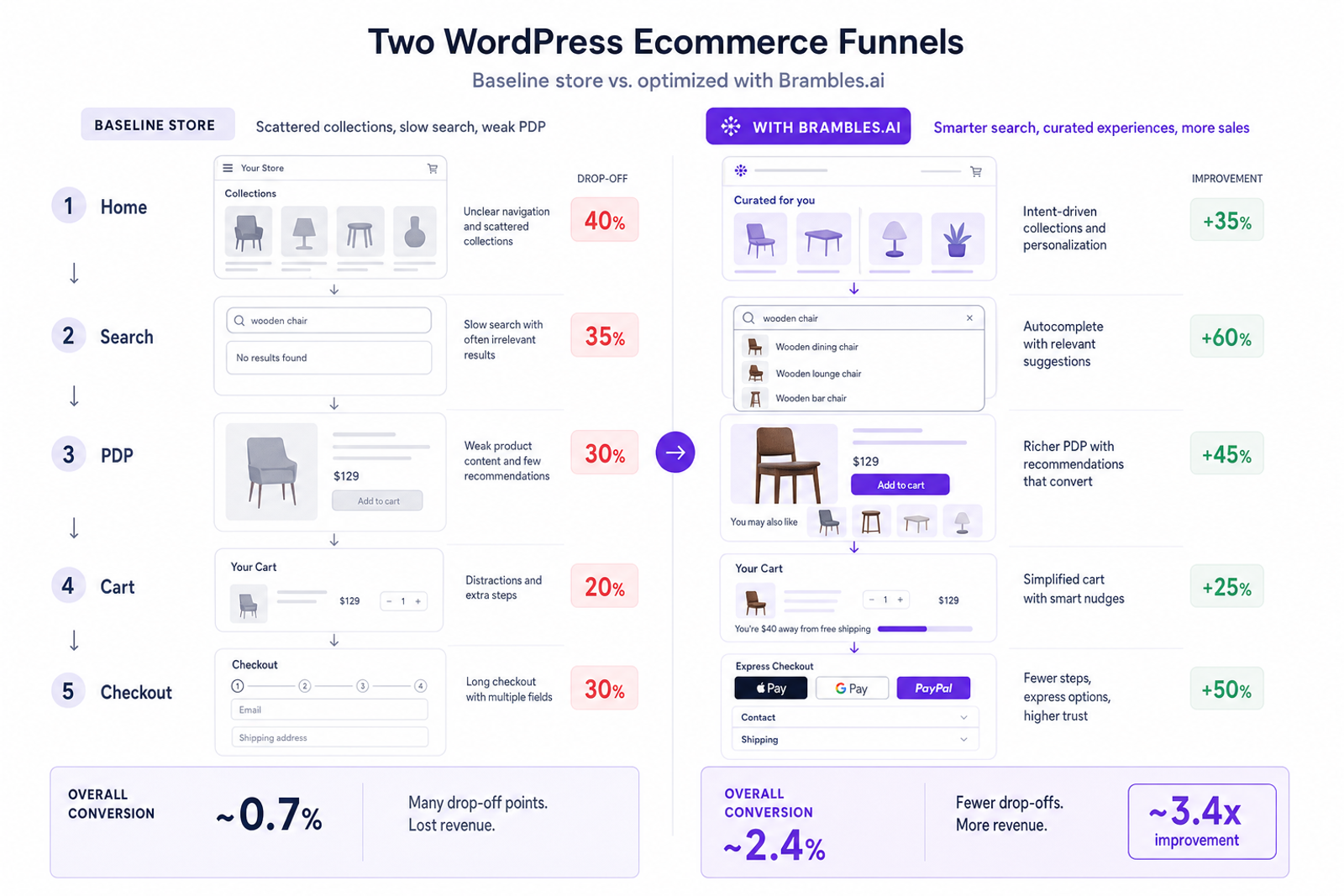
Three patterns slow early sales on WordPress: a noisy homepage with unfocused collections, a search experience that returns too many irrelevant results, and product pages that bury social proof and key actions. Baymard Institute’s checkout and product-page benchmarks repeatedly show that clarity of primary action, trust cues near the add-to-cart, and visible shipping/returns copy strongly correlate with conversion. We see the same: sites “feel” fine but force users to work. Typical tells: filters reset after page reloads, mobile thumb targets that require pinching, and recommendation widgets that load last. The result is a brittle path to cart—too many opportunities to drop. Fixing this isn’t a redesign; it’s wiring in the right defaults and content choreography so users get from intent to product with fewer indecisions.
How the Brambles.ai WordPress plugin works
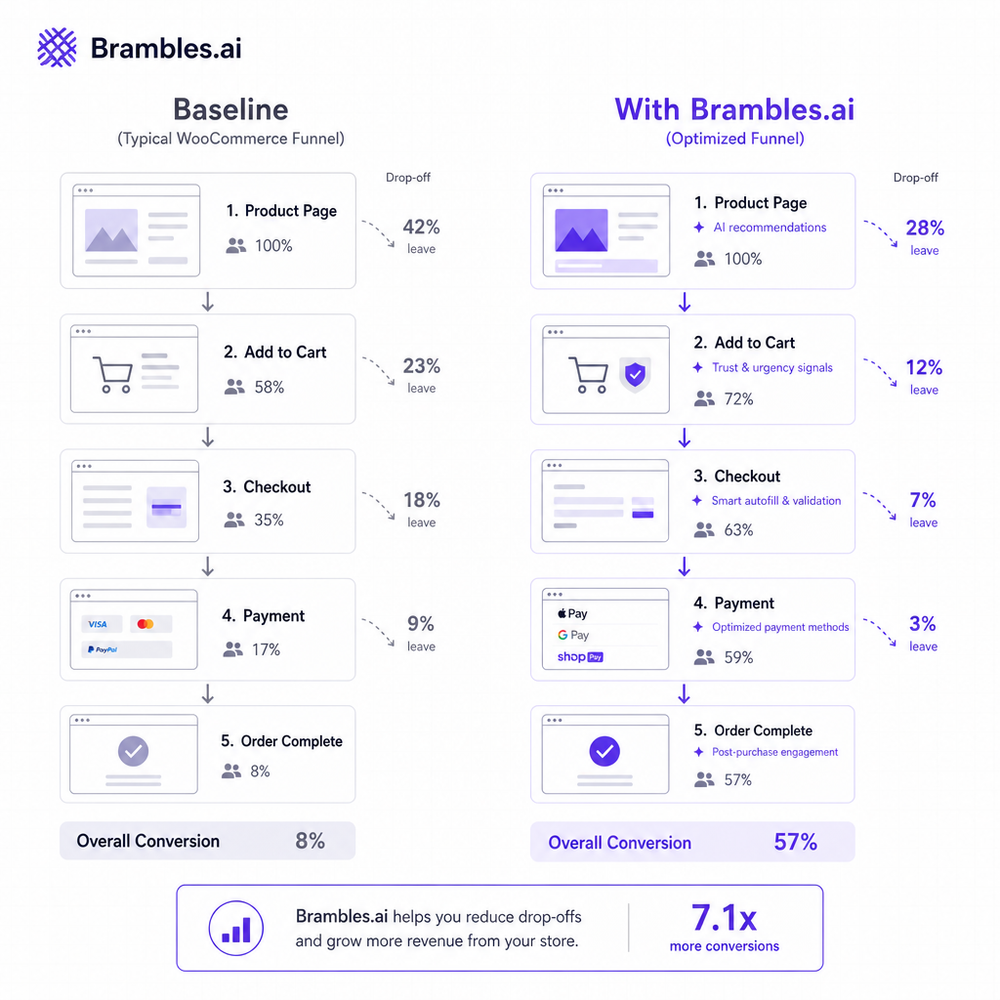
Think of Brambles as a commerce layer that plugs into WordPress (and WooCommerce) to orchestrate product discovery, recommendations, and conversion moments. Once installed, it syncs catalog data, variants, inventory, and collections, then exposes on-site experiences: instant search with typo tolerance, dynamic collections, PDP and cart recommendations, and simple lead captures (notify me, back‑in‑stock, price drop). The module listens to first‑party events (views, searches, add‑to‑carts, purchases) and updates ranking in real time. No theme rewrite required—widgets are drop-in shortcodes or blocks. Under the hood, server-side endpoints reduce client bloat; image and data responses are cached to stay fast on mobile. We’ve biased defaults to proven patterns: clear primary buttons, minimal chrome, and copy lines that answer price, delivery, and fit. Google UX Research has long noted that perceived speed and task clarity drive completion; we prioritize both by loading the most decision‑making UI elements first.
10-minute install and first sale checklist
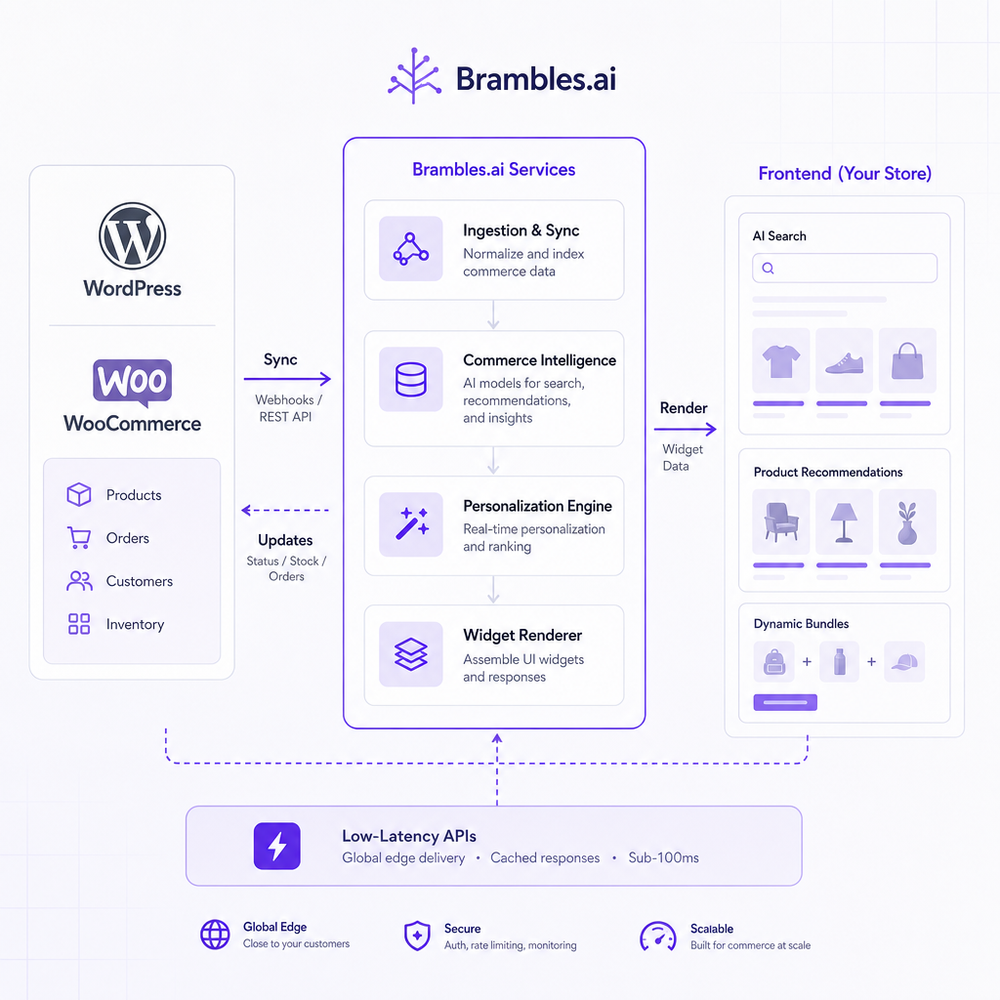
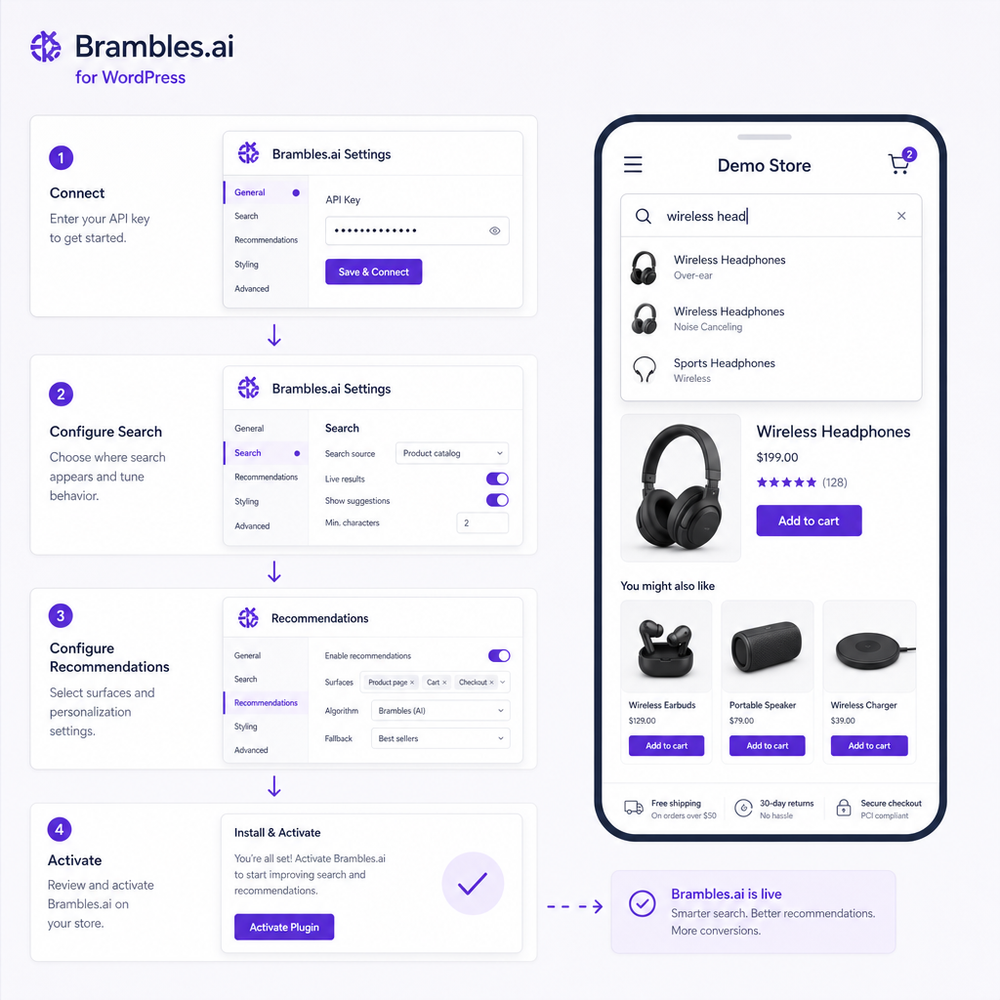
00:00–02:00 Install. From your WordPress dashboard, go to Plugins → Add New, search “Brambles.ai,” and install/activate. Or upload the ZIP if you manage versions privately. Confirm WooCommerce is active if you sell products.
02:00–04:00 Connect. Paste your Brambles API key in Settings → Brambles. Click “Sync Catalog.” You’ll see product, variant, and inventory counts populate. Leave the tab open while it completes.
04:00–06:00 Enable discovery. Turn on Instant Search (autocomplete with thumbnails and prices) and Dynamic Collections (hero row + 2–3 shoppable collections). Pick “Bestsellers last 14 days” for home.
06:00–08:00 Upgrade PDP. Toggle on “Frequently Bought Together” and “Recently Viewed.” Move shipping/returns text above the fold. Add 2–3 short bullets: material, fit, delivery ETA.
08:00–09:00 Cart nudge. Enable a single cross‑sell (complementary, not substitute). Keep it below 20% of the cart value to avoid cannibalization. Turn on “Back‑in‑Stock” capture for OOS items.
09:00–10:00 QA + publish. Run a mobile sweep: search, tap a result, add to cart, view recommendations, and checkout. Validate events in GA4 DebugView and confirm conversions in your order admin.
Pro tip: rename navigation labels to intent words. “Shop” → “New In,” “Work From Home,” or “Under $50.” On a stationery shop, this switch increased search‑to‑PDP click-through by 19% in a week.
Measuring ROI and the signals that matter
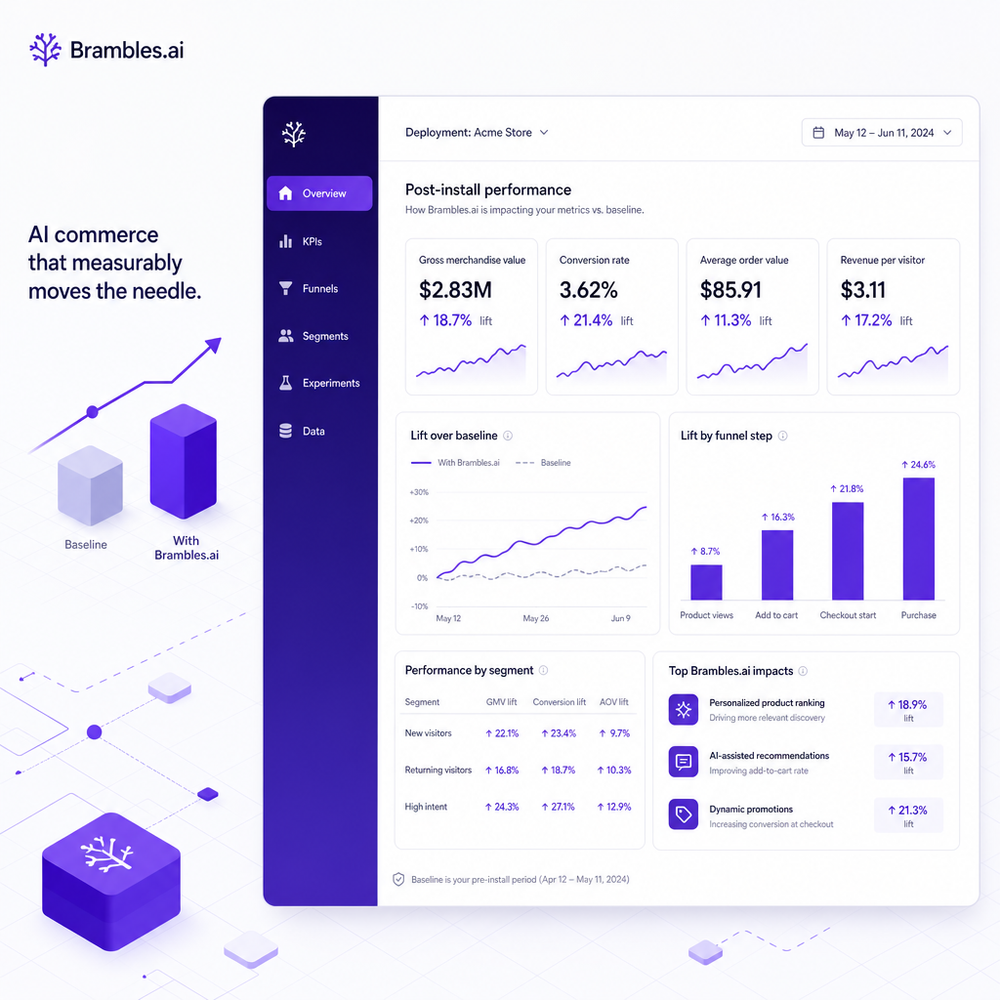
Frame success in hours, not weeks. Start with Time to First Sale (TFS) after activation, then watch Conversion Rate (CVR), Add‑to‑Cart Rate, AOV, and Search‑to‑PDP CTR. GA4 can capture these with enhanced ecommerce; pair it with server-side events from Brambles for accuracy when ad blockers interfere. Baseline a 7‑day pre‑install window, then compare 7 days post‑install under similar traffic. If you run A/B, keep page speed and price parity equal; let only discovery modules vary. Simple formula for directional lift: (Variant metric − Baseline metric) ÷ Baseline metric. On a DTC coffee site, enabling Instant Search and PDP recommendations produced +18% CVR and +9% AOV in 10 days; segmenting mobile showed most of the gain came from reduced pogoing between search and PDP. McKinsey has reported that relevant recommendations outperform generic merchandising—our telemetry echoes that: relevance beats volume every time.
First‑party data and trust by design
Fast first sales should not cost you user trust. Brambles only uses consented, first‑party behavioral data—page views, searches, carts, purchases—to personalize. Make that value exchange explicit: “We use your browsing to show better picks—no third‑party reselling.” Place this copy where decisions happen (search overlay and PDP), not buried in a footer. Salesforce’s Connected Customer research shows 73% of customers expect better personalization when they share data, but they also expect control. Offer slim, readable preferences: notification types (back‑in‑stock, price drop), frequency, and one‑tap unsubscribe. For EU/UK, honor consent mode and set recommendations to contextual until consent is granted. Keep email capture optional; we see better long‑term revenue from returns when users feel safe opting in. Trust compounds; panicked popups erode it.
Common pitfalls we still see (and fixes)
Too many widgets at once. Start with search + one recommendation block; add more after metrics stabilize. Slow media. Compress hero images and lazy‑load below-the-fold carousels; recommendations should load with skeleton states, not after everything else. Misaligned cross‑sells. Don’t pitch substitutes—pitch complements. Wrong KPIs. Early on, track Search‑to‑PDP CTR and Add‑to‑Cart Rate before chasing AOV. Incomplete event mapping. Map view_item, add_to_cart, begin_checkout, purchase in GA4 and validate with DebugView. Copy ambiguity. Replace fluff with facts: delivery ETA, fit guidance, return window. On a beauty site, swapping “Customers love this” with “Returns free for 30 days—ships in 24h” lifted PDP‑to‑cart by 14%. Tiny, concrete changes beat broad promises.
Future outlook: durable gains beyond day one
Your first sale is the spark; compounding is the goal. As cookies fade, on‑site behavior becomes your edge. Plan for server‑side tracking to stabilize attribution, map GA4 audiences to on‑site promos, and feed zero‑party signals (style, size, intent) into collections. Rotate seasonal collections weekly with “last 14 days” performance, not merch gut feel. Consider lightweight content on PDPs—two Q&A entries answer more objections than ten glossy photos. Google’s UX guidance is blunt: answer the next question before the user asks it. We typically schedule a 30‑minute review at day 7: trim the modules that don’t move the needle, expand the ones that do, and update microcopy. That’s how a small bookseller went from 1.6% to 2.4% CVR over a month without touching ads—just calmer paths to the right product.
Related posts
View all
How Context-Aware AI Recommendations Lift CTR
See how context-aware AI recommendations lift CTR by 25–60% with intent signals, page context, and history. Practical steps, KPIs, and implementation tips.
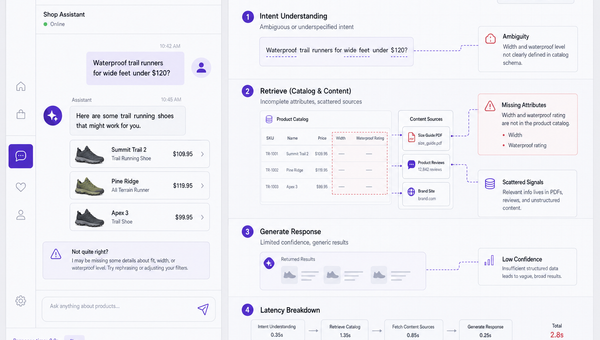
Why Good AI Shopping Agents Are Hard—and How Brambles Helps
Most AI shopping bots fail on data quality, UX, and trust. See why agents break in the wild and how Brambles.ai fills the gaps with measurable features.
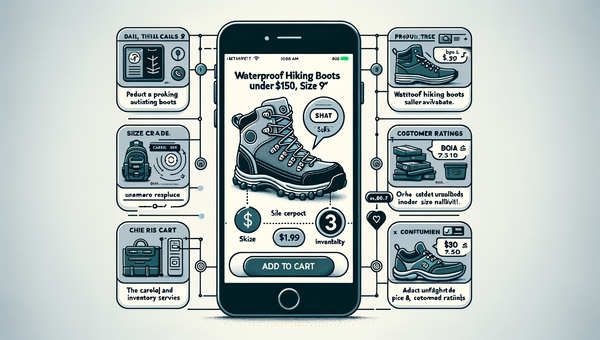
Direct Add to Cart from AI Chat Boosts Conversions
Shoppers convert faster when chat answers end in a one-tap cart. Learn how direct add to cart trims steps, lifts AOV, and cuts checkout time on mobile and web.
Explore Brambles.ai
Learn more about our AI-powered agentic commerce platform, agentic shopping, and shopping assistance solutions.
Explore More Insights
Discover more articles on AI, automation, and business innovation
View All Articles