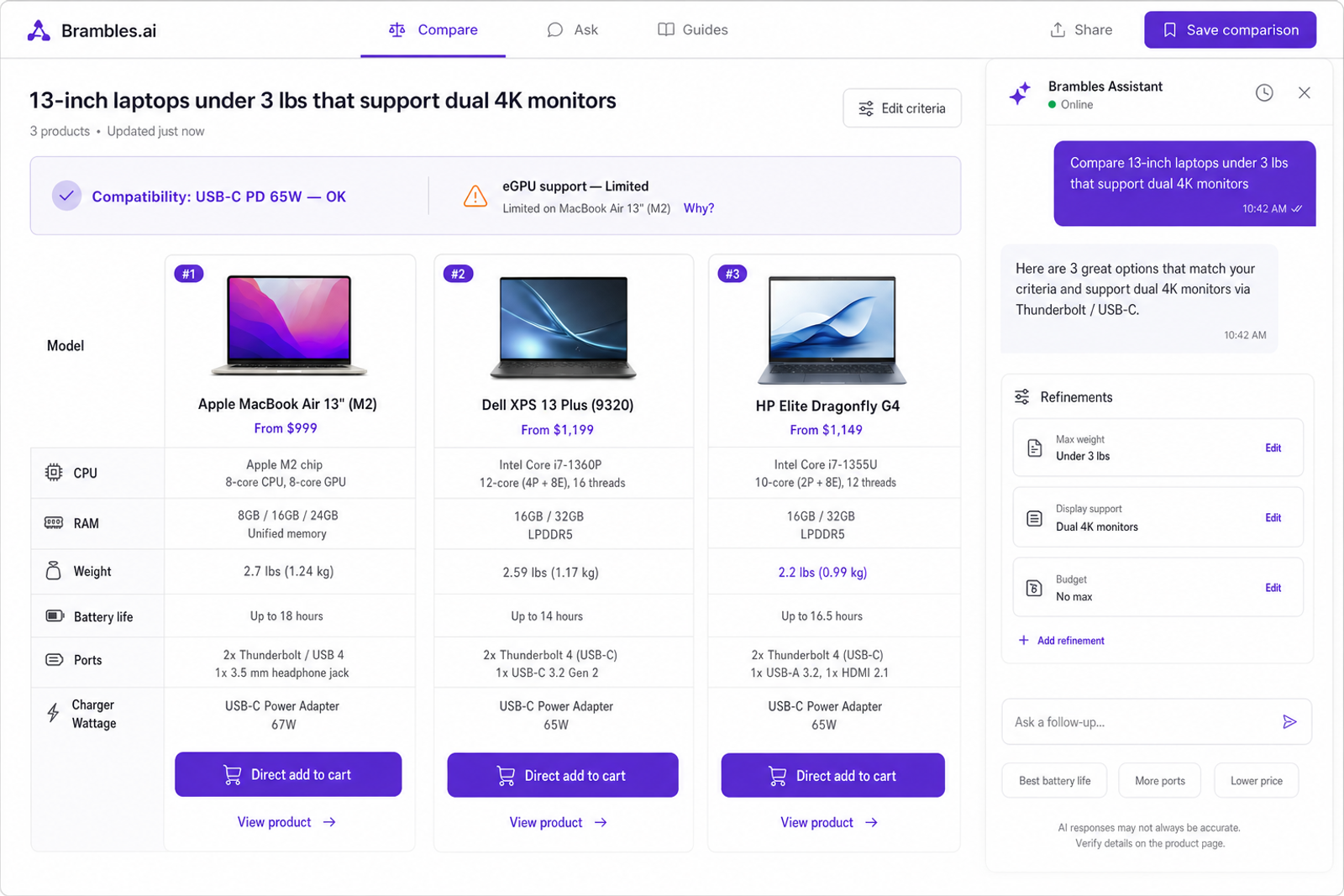
How Brambles.ai Speeds Product Comparison & Compatibility
Brambles.ai turns messy spec sheets into side-by-side, compatibility-aware comparisons that slash time-to-decision, boost add-to-cart, and cut returns fast.
How Brambles.ai Speeds Product Comparison & Compatibility
On a mid-market electronics retailer we worked with, 31% of shoppers abandoned after opening two product tabs and failing to spot a critical port mismatch. After shipping Brambles.ai comparisons, their time-to-decision dropped 36% and returns on laptop accessories fell 18% in 45 days. A home décor publisher saw something different: readers stopped copy‑pasting SKU codes into search and began asking the page, “Which 72-inch ceiling fan fits a sloped ceiling?” The guided comparison boosted affiliate RPM 2.1x and cut bounce by 19%. When shoppers don’t need to translate requirements into filter gymnastics, they decide—fast.
Quick Answer
Brambles.ai turns product specs, reviews, and compatibility data into instant, side‑by‑side comparisons shoppers can refine in plain English. The system indexes your catalog and content, understands constraints like “fits VESA 100x100” or “runs quiet under 30 dB,” and flags conflicts before checkout. Shoppers compare fewer tabs, see trade‑offs clearly, and can add the right item straight from chat. Teams integrate with a lightweight script or WordPress plugin and measure lift in add‑to‑cart, decision speed, and lower returns.
What’s Broken in Product Comparison Today
Comparison is a multi-step, multi-tab chore. Users bounce between filters, spec sheets, and Reddit threads, then screenshot features to remember what mattered.
Baymard’s research notes that buried or unclear specs drive abandonment; we see it daily in session replays. The moment a shopper wonders, “Will this work with what I own?” they’re forced to self‑vet compatibility in a maze of tabs.
Content teams try to help with static tables, but those go stale and can’t adapt to niche questions like, “Compare quiet 12,000 BTU window ACs that fit a 26-inch opening and support Wi‑Fi.” Traditional site search can’t validate constraints or explain trade‑offs, so shoppers default to price sorting and guesswork. That’s where mis-buys and returns creep in.
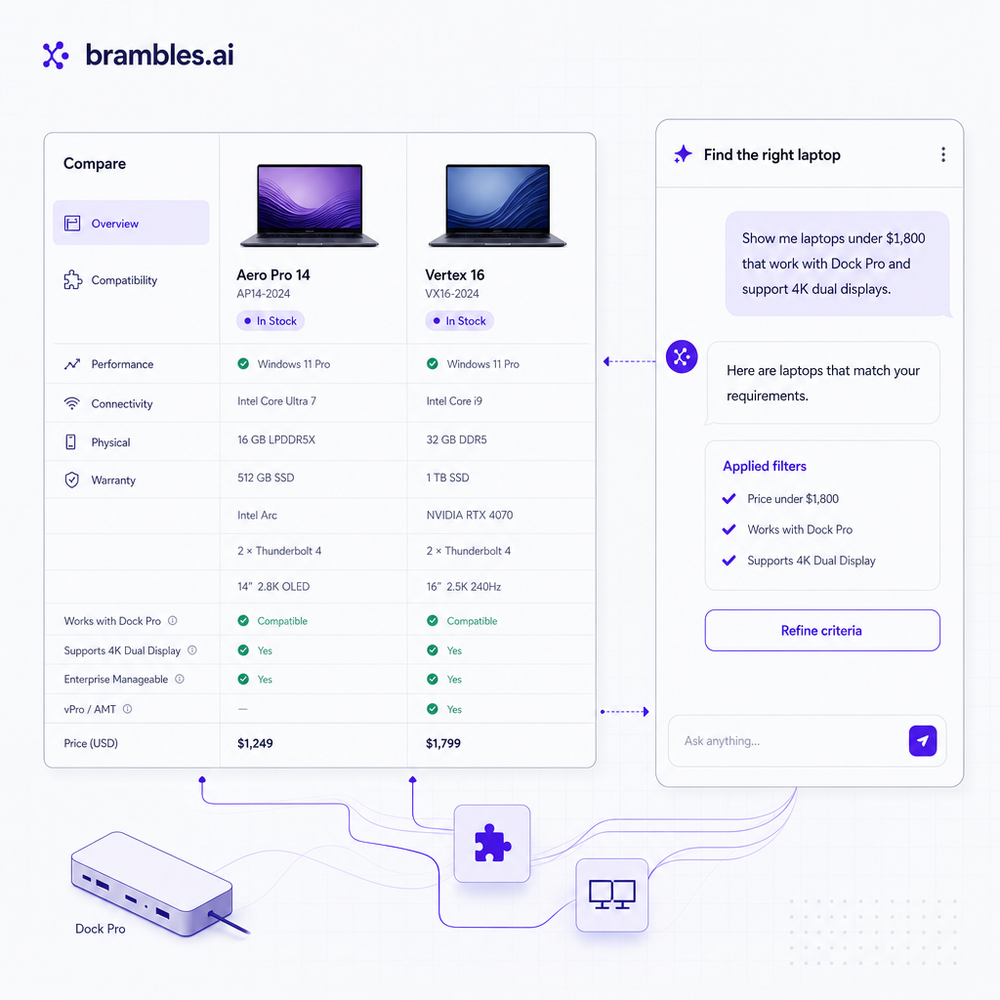
How Brambles.ai Builds Real‑Time, Compatibility‑Aware Comparisons
Brambles.ai understands questions and constraints, then composes a live, defensible comparison. Our AI product discovery feature parses natural language like “lightweight 65% keyboards with PBT keycaps under $120” and pulls a coherent, apples‑to‑apples view. It explains why an item appears and what trade‑offs you’re making (e.g., “Hot‑swap: No, but offers south‑facing LEDs for better cap compatibility”).
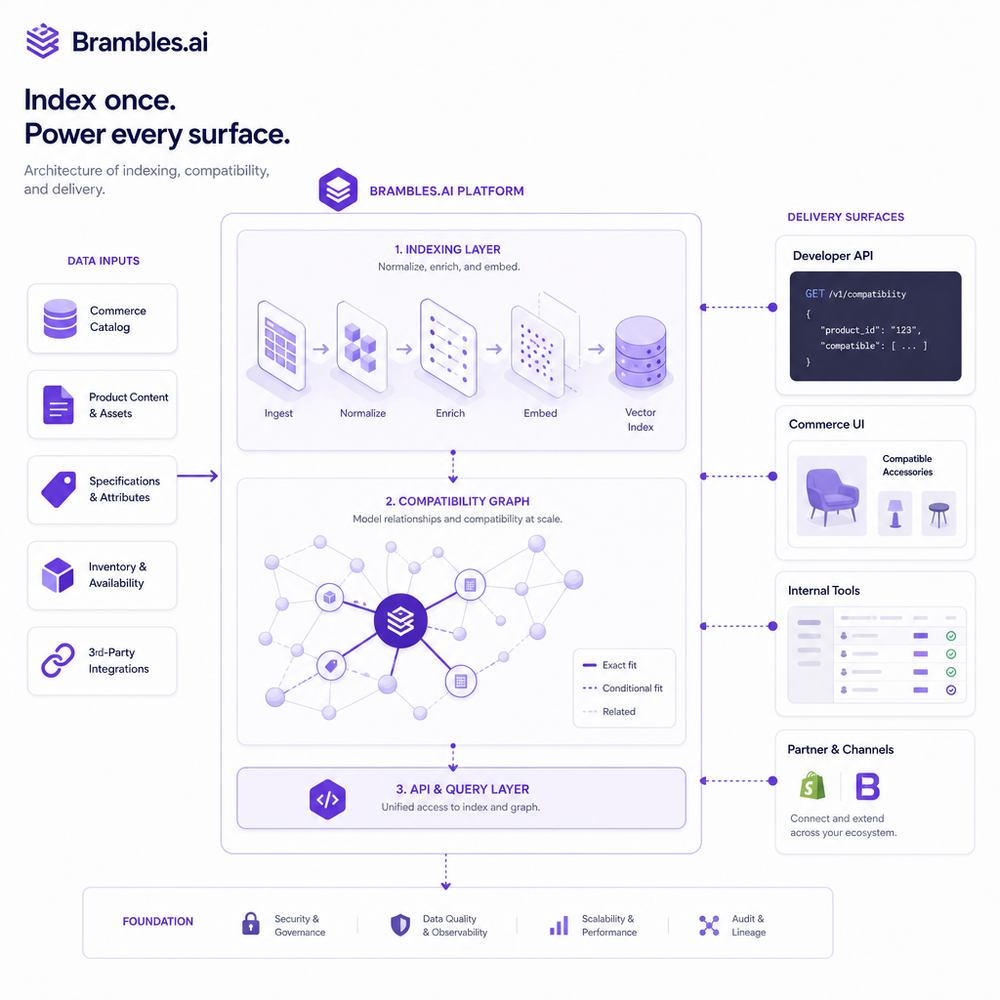
The engine is grounded by content intelligence. We crawl and index your catalog, PDPs, spec tables, buying guides, and even video transcripts to normalize attributes—so “65W USB‑C PD” and “USB Type‑C Power Delivery 65 W” resolve to the same capability. This lets the assistant validate “will it fit/work?” in-context and surface conflicts early.
The experience lives wherever shoppers are. Use AI shopping chat as a floating assistant across the site, or embed an inline comparison in a buying guide. Proactive engagement can trigger prebuilt prompts (e.g., “Compare best 55-inch TVs for bright rooms”) on relevant category pages. When the shopper is ready, direct add to cart removes a click and preserves context from chat to cart.
Implementation Guide: Ship Guided Comparisons in a Week
Here’s the rollout we recommend and have used repeatedly on 7‑ to 9‑figure sites: 1) Install the Agentic Commerce Module snippet site‑wide in staging. 2) Connect your catalog feed and sitemap; include PDP JSON, spec tables, and top buying guides. 3) Configure target intents (e.g., “compare TVs for daylight rooms”) with prompt templates. 4) QA attribute normalization in the index; resolve synonyms for recurring attributes. 5) Launch on 1–2 high‑traffic categories with a 50/50 split. 6) Review logs weekly to add new constraints shoppers ask about (noise levels, fit ranges, ports).
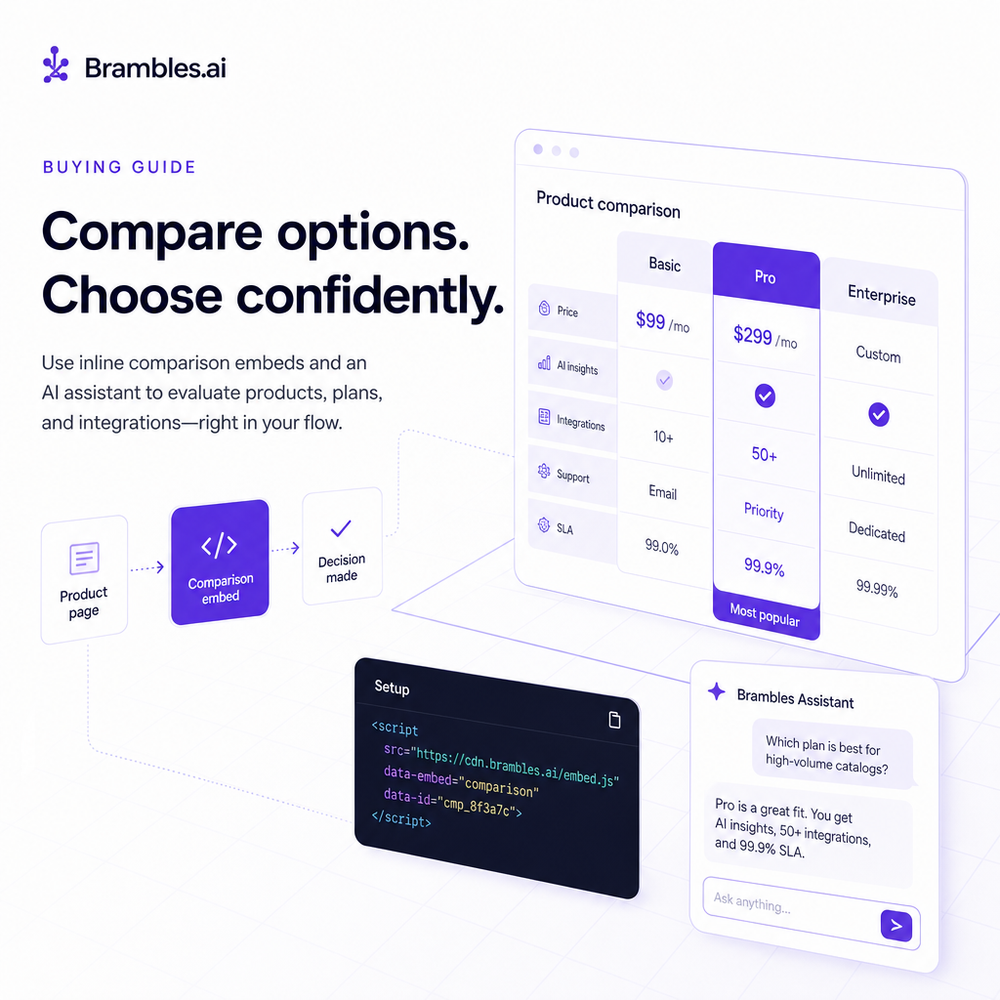
On WordPress? Activate the Brambles plugin and drop an inline comparison block into buying guides; it inherits your fonts and colors automatically. Running Shopify? Connect our upcoming app to sync product data and render the floating assistant with one toggle. For brands, keep support tight with AI customer service hooked to order status, and for publishers, align monetization with affiliate and retail media while keeping comparisons impartial.
Measuring ROI & KPIs That Matter
Anchor your test on decision speed and accuracy. We track comparison start rate, time‑to‑first‑viable set (3–5 relevant items), add‑to‑cart from comparison, and return‑adjusted revenue.
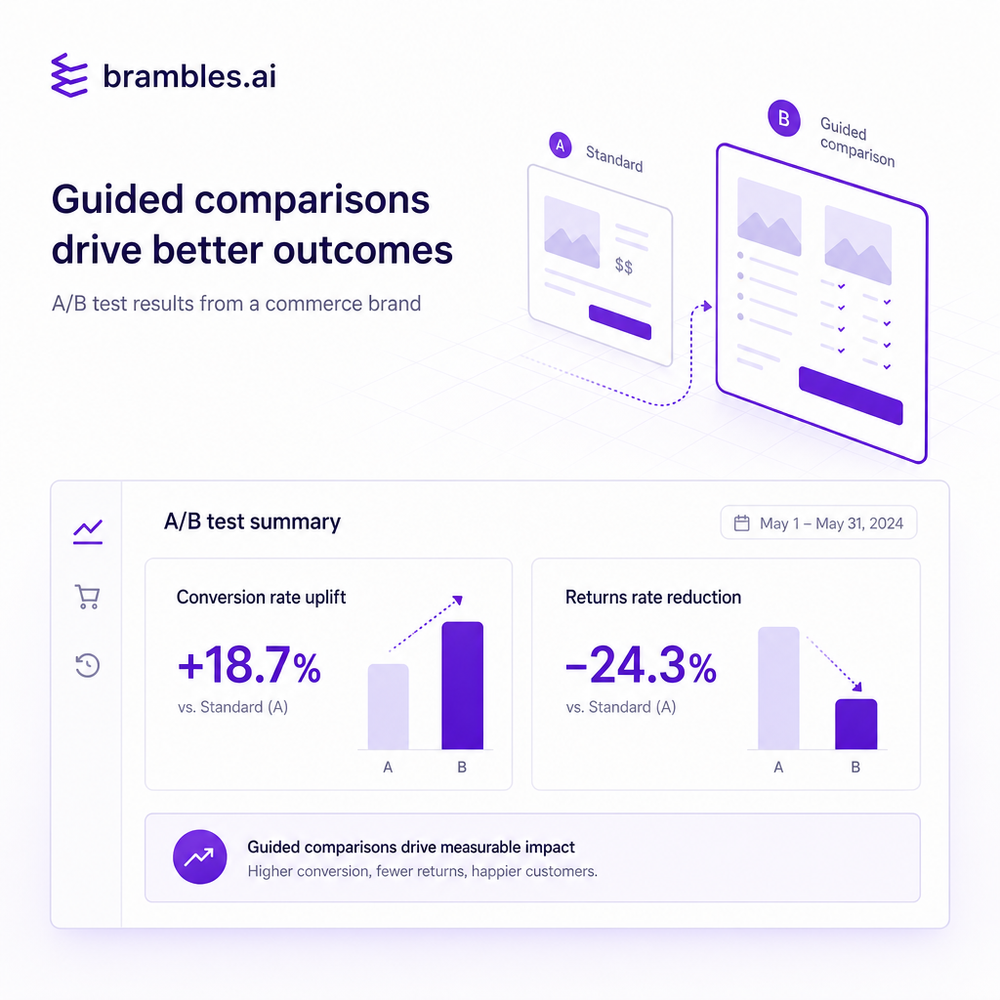
In one apparel pilot (100k sessions/month), the guided comparison cut time‑to‑decision by 42% and raised add‑to‑cart 19%—not because more items were shown, but because size/fit conflicts were prevented at the point of consideration.
For publishers, attribute RPM lift to comparison engagement, not just last‑click. Tie comparison sessions to affiliate clicks and disclose clearly. For brands, A/B test direct add to cart from chat vs. from PDP. Keep a running log of “prevented incompatibilities” (e.g., wrong mount size) as a leading indicator of reduced returns and CX tickets. If you’re planning budgets, our pricing page outlines plan tiers, and you can get started without a rebuild.
First‑Party Data, Trust, and Clear Monetization
Trust is the lubricant of fast decisions. Brambles.ai runs on your first‑party catalog and content, and we explain why each item is recommended—no black box. For publishers, we keep monetization contextual and disclosed: surface the best product for the reader’s need, then monetize the click cleanly. That wins loyalty and improves RPM over time, not just this session.
Common Pitfalls to Avoid (Checklist)
Use this quick checklist we share in kickoffs: - Don’t launch without attribute normalization; map synonyms early. - Avoid over‑broad prompts; tailor intents per category (size, fit, power, ports). - Keep explanations visible; “why included” reduces doubt. - QA for edge cases: bundles, refurbished SKUs, region‑specific specs. - Brand the assistant to your voice. - Track prevented incompatibilities, not just CTR. - Refresh training data when new models drop (especially electronics). Brambles provides guardrails for tone and look so the assistant feels native, not bolted on.
Future Outlook: Beyond Specs—Try, See, Decide
Once comparison feels conversational, shoppers want proof. Virtual try‑on helps apparel and beauty buyers validate style and fit before committing, while view in room turns size charts into spatial confidence for furniture and décor. Tie these to the comparison flow—shortlist first, then let users visualize. Expect faster paths to purchase and fewer “looks different at home” returns.
FAQ
How does Brambles.ai know if products are compatible?
We index your PDPs, spec sheets, and content, normalize attributes (e.g., VESA patterns, connector types, size ranges), and build a compatibility graph. The assistant checks shopper constraints against that graph and flags conflicts with plain‑English explanations.
Can I embed comparisons inside buying guides?
Yes. Drop an inline comparison where you’d place a table. It inherits your styles, supports conversational refinements, and can monetize via affiliate or retail media when appropriate.
Does it work on mobile without slowing pages down?
Yes. The widget streams results progressively, defers heavy work, and is optimized for tap targets. Most teams see negligible impact on Core Web Vitals while cutting pogo‑sticking between tabs.
How do we get started and what does it cost?
Spin up a pilot on one category, measure lift, then expand. Pricing scales by use case and volume. If you’re a brand, prioritize high-return categories; if you’re a publisher, start with evergreen guides and seasonal roundups.
Does this replace our search or augment it?
Augment. Keep your search for known‑item lookups. Use Brambles for goal‑oriented comparisons and compatibility questions where natural language and guardrailed reasoning excel.
Related resources on Brambles.ai
If you are implementing this, start with Brambles.ai, enterprise solutions, publisher pricing, brand pricing.
Related posts
View all
Brand-Consistent AI Chats Build Trust and Conversions
When AI mirrors your brand voice, shoppers relax—questions get answered, carts grow, and support load drops. Learn the playbook to align tone, trust, and ROI.
Sponsored Products in AI Shopping: Retail Media 101
Learn how sponsored product placements power AI shopping, how bidding and relevance work, and how to implement retail media without eroding trust or UX.

How Context-Aware AI Recommendations Lift CTR
See how context-aware AI recommendations lift CTR by 25–60% with intent signals, page context, and history. Practical steps, KPIs, and implementation tips.
Explore Brambles.ai
Learn more about our AI-powered agentic commerce platform, agentic shopping, and shopping assistance solutions.
Explore More Insights
Discover more articles on AI, automation, and business innovation
View All Articles